There is a very specific kind of networking problem that makes people feel both clever and slightly trapped.
The Wi-Fi is not good enough in the far room. Running fresh Ethernet would solve it cleanly, but the walls are finished, the path is awkward, the drilling would be annoying, and suddenly the elegant answer is no longer the easy answer. That is usually where retrofit technologies enter the conversation. Not because they are ideal in the abstract, but because they promise something emotionally irresistible: a more wired network without opening the house.
For a long time, powerline adapters felt like the obvious version of that promise to me. Plug one box by the router, another in the remote room, and let the home’s electrical wiring do something almost magical. MoCA, by contrast, sounded more niche until I realized it was using something many homes already have: coaxial cable runs that were originally there for TV but are often sitting underused in a world that moved to streaming.
What finally made the choice clearer was understanding that these are not just two equally clever shortcuts. They ride on very different infrastructure. One uses the electrical environment of the house. The other uses coax, a medium that was already built for signal transport. That difference changes almost everything.
- Why retrofit networking feels more tempting than pure Ethernet planning
- What powerline adapters are really asking your house to do
- Why MoCA usually starts from a calmer physical medium
- Where each option tends to shine or disappoint in real homes
- What practical setup details matter before you buy anything
- Why MoCA is usually the better answer if coax is available
- When powerline is still worth trying anyway
The protocol and configuration baseline below is checked against the MoCA Alliance specification; the topology and risk recommendations are my practical interpretation.
I used to treat both options as "Ethernet, just through something else"
That is the simplification that kept the topic fuzzy.
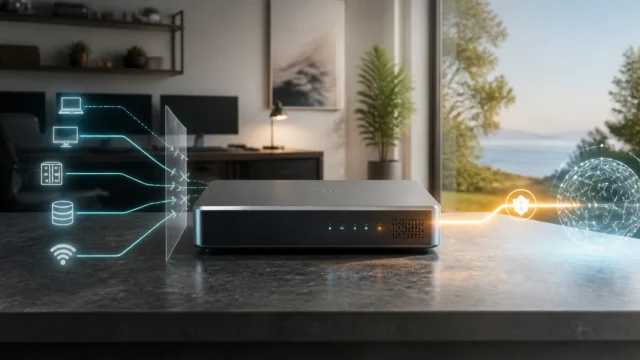
At a glance, both technologies seem to solve the same problem. You want network connectivity in a room where fresh twisted-pair Ethernet is not already waiting. You use what the building already has. End result: the network reaches farther without a renovation project.
But that framing hides the most important difference.
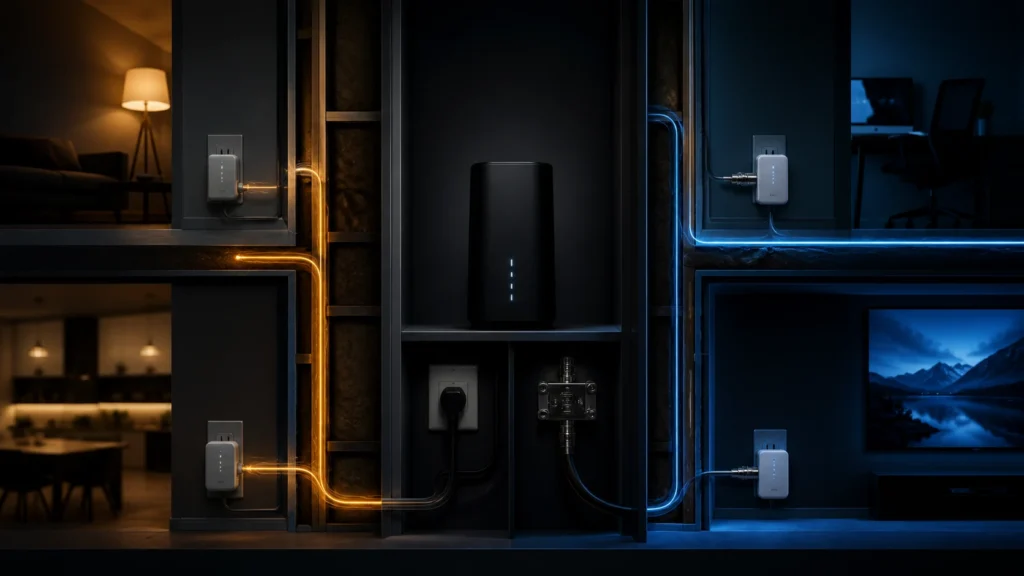
Powerline networking is asking the electrical system to carry data in addition to power. MoCA is asking coaxial cable to carry networking in addition to whatever TV or broadband role it may already be serving. Those are not equally stable starting points. One medium exists primarily to deliver electricity through a noisy, appliance-filled environment. The other exists to carry RF signals through shielded coaxial paths.
That is why the debate becomes much easier once you stop asking which product sounds smarter and start asking which in-wall medium is more trustworthy.
Powerline is clever because it works with something every room already has
This is the emotional appeal of powerline.
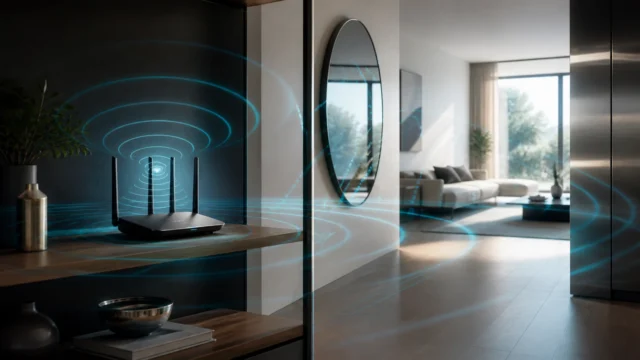
Almost every room has electrical outlets. That makes the idea feel universal. In practical consumer products, that usually means adapters based on HomePlug AV or AV2, or in some newer ecosystems G.hn over powerline. TP-Link’s powerline documentation still frames the category around the same basic promise: use the home’s electrical wiring to extend network connectivity where ordinary Ethernet is not present.
There is a reason people keep trying it. The setup looks wonderfully humane:
- one adapter near the router;
- one adapter in the room that needs better connectivity;
- no new cable runs through walls;
- no dependency on mesh backhaul quality.
On paper, that is hard not to like.
And sometimes it really works well enough to feel like a small miracle.
The problem is that powerline is not negotiating only with distance. It is negotiating with the entire electrical character of the home.
The powerline story depends heavily on the house, not just the adapters
This is the part that matters most.
Official powerline guidance from TP-Link is refreshingly candid in a way I appreciate. The adapters should be plugged directly into a wall outlet, not into a power strip, extension cord, or surge protector. TP-Link also notes in its troubleshooting guidance that surge protectors can significantly reduce the powerline rate, and that electrical devices with motors and other noisy appliances can interfere with the signal.
That tells you almost everything important about powerline in one emotional stroke: the link may work, but it is sharing a living environment with all the weirdness of a real electrical system.
That means powerline performance is often shaped by things such as:
- old wiring;
- long or awkward electrical paths;
- separate circuits or phases;
- surge protectors and filtered strips;
- refrigerators, washers, air conditioners, and other noisy loads;
- whatever invisible quirks the house already had before networking entered the story.
This is why powerline can feel so inconsistent in online advice. Two people can buy visually similar adapters and have completely different experiences because they are not really testing the same network medium. They are testing two different electrical worlds.
When powerline performs poorly, it is often not because the adapters are defective. It is because the home’s electrical environment is a far more active participant in the result than many buyers expect.
MoCA starts from a stronger physical assumption
This is why MoCA becomes so attractive once you really look at it.
The MoCA Alliance describes MoCA Home 2.5 as delivering actual data rates up to 2.5 Gbps, with a wired, low-lag experience over existing coax. That alone does not mean every consumer installation will suddenly behave like fresh Cat6, but it does reveal something important: coax is being used as a network backbone medium in a way that is much more aligned with what the cable was built to carry.
That changes the emotional contract immediately.
Coax is not free from caveats, but it is a signal cable. It is shielded. It was not designed around refrigerators, dimmers, motors, and power noise. When the coax path inside a home is intact and compatible, MoCA starts from a calmer premise than powerline does.
That is the sentence I wish I had earlier:
powerline borrows the electrical system;
MoCA uses a signal path that already thinks like signal infrastructure.
Once you see that difference clearly, the comparison stops being symmetrical.
MoCA still has real setup requirements, and that is where people get surprised
MoCA is not magic either. It just tends to be asking better things from the walls.
The practical details matter. ScreenBeam’s official MoCA setup guidance highlights several of them:
- you may need a MoCA-compatible splitter rather than assuming any old splitter is fine;
- a MoCA point-of-entry filter may be needed at the coax entry point to prevent signal leakage and avoid interference with neighboring MoCA networks;
- some cable-modem arrangements, including certain DOCSIS 3.1 setups, may require special attention or a filter placement between modem and splitter;
- if a modem or TV port does not pass MoCA cleanly, the coax path may need to be rearranged or split differently.
ScreenBeam’s support guidance also explicitly warns that a standard cable-TV splitter can block MoCA signals and that a MoCA-compliant splitter should be used instead.
I like these caveats because they are concrete. MoCA problems tend to look more like topology and compatibility problems than like atmospheric luck. That is a much more manageable category of difficulty.
If your home has usable coax, MoCA is usually the better retrofit
This is my clearest conclusion on the whole subject.
If the house already has coax runs that matter, and those runs are available or can be repurposed sanely, MoCA is usually the stronger answer than powerline for backhaul-like networking.
Why?
- the medium is usually more stable for data transport;
- the performance ceiling is much higher in current MoCA 2.5 messaging;
- latency expectations are generally better;
- the result tends to feel more like deliberate wiring and less like opportunistic borrowing.
The MoCA Alliance even positions MoCA as a backbone for improving in-home Wi-Fi, which fits exactly how I think many people should use it: not necessarily as a substitute for every Ethernet run forever, but as a strong way to extend the wired heart of the network into rooms where coax already exists.
If I were trying to feed:
- an access point;
- a desktop in a far room;
- a streaming setup that hates weak wireless backhaul;
- a small switch on another floor;
- a work-from-home desk where consistency matters more than novelty;
and the home had usable coax, I would be biased toward MoCA before I seriously gambled on powerline.
Powerline is still worth considering when coax is unavailable and pulling cable is unrealistic
I do not want to sound harsher on powerline than it deserves.
Powerline exists because it solves a real problem, and there are homes where it is absolutely the most realistic next step. If there is no coax where you need it, if running fresh Ethernet is not happening any time soon, and if Wi-Fi backhaul is too unstable, powerline can still be a reasonable experiment.
The key word is experiment.
I think powerline is healthiest when approached like this:
- try it because it may be good enough;
- keep expectations realistic;
- test it in the actual rooms and outlets that matter;
- do not mistake product-box numbers for guaranteed in-wall behavior.
That last point matters a lot. Vendor numbers for HomePlug AV2 or G.hn powerline products describe a technology class and product capabilities, not a promise about the wiring inside your specific home.
HomeGrid Forum’s G.hn material reinforces the broader point that G.hn can operate over multiple media including powerline and coax, and that the technology is designed as an "any wire" approach. That is useful context, but in a real retrofit decision the physical medium still decides how calm the experience feels. "Any wire" does not mean "every wire behaves the same."
The decision tree I would use now
If I were making this choice today, I would ask the questions in this order:
1. Is fresh Ethernet actually possible?
If yes, that is still the cleanest answer.
2. Is there usable coax between the right rooms?
If yes, MoCA would usually be my first retrofit choice.
3. If there is no useful coax, is powerline good enough to test?
If yes, I would treat it as a practical trial, not a guarantee.
4. What is the link for?
If the connection will feed an access point, gaming setup, work desk, or mini-lab node where stability matters, I would weight predictability heavily. That pushes me harder toward MoCA when available.
5. Am I extending convenience or building backbone?
That is a subtle but important question. Powerline can be acceptable as convenience networking. MoCA is much easier for me to trust as retrofit backbone networking.
This is also where the rest of the home-network design starts to matter. A stronger retrofit link becomes much more useful when the addressing, segmentation, and gateway plan are already intentional, as in the articles on IP planning, address stability, and early VLAN thinking. A better wire path helps most when the network it feeds is already coherent.
The sentence that finally simplified the whole topic for me
Powerline is the more universal-looking option.
MoCA is usually the more network-like option.
That is the sentence that settled it.
Powerline wins on apparent convenience because every room has outlets. MoCA wins on trust when coax exists, because coax was already made to carry signals in a way that resembles what networking wants.
So if someone asked me for the short version now, I would say this:
If you have usable coax, start with MoCA.
If you do not have coax and cannot run Ethernet, powerline is the fallback worth testing.
And if either of them works, remember that what you really bought was not just an adapter — it was a relationship with the wiring already inside the house.
FAQ
Is MoCA better than powerline for most homes?
If the home has usable coax where you need connectivity, usually yes. MoCA tends to offer a calmer and more signal-friendly medium than ordinary residential electrical wiring.
Are powerline adapters bad?
Not necessarily. They can work surprisingly well in some homes. The issue is predictability. Their performance depends heavily on the house’s electrical environment, not just the adapters themselves.
Do I need special splitters for MoCA?
Often yes. Official MoCA setup guidance warns that standard splitters may block MoCA signals and that MoCA-compatible splitters should be used.
Should powerline adapters go into a surge protector?
No. Official TP-Link guidance says powerline adapters should be plugged directly into a wall outlet, not into a power strip, extension cord, or surge protector.
Is either option as good as fresh Ethernet?
Not usually. Fresh Ethernet is still the cleanest answer. But when you cannot pull cable, MoCA is often the closest-feeling retrofit if coax is already available.