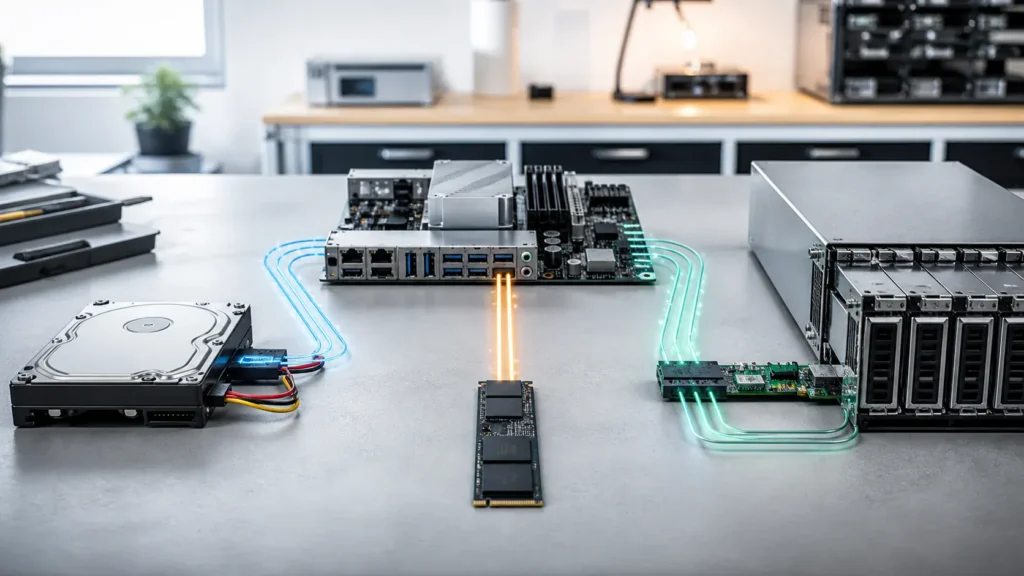
For a long time, I compared SATA, NVMe, and SAS like they were just three rungs on the same ladder.
SATA was the slow one.
NVMe was the fast one.
SAS was the enterprise one.
That framing was simple.
It was also incomplete.
What finally helped me was realizing that these names do not all describe the same kind of thing in the same way. NVMe is a protocol built for solid-state storage over transports like PCIe. SATA and SAS are storage interfaces with their own ecosystems, controller assumptions, and device histories. Some of the biggest differences in a homelab come not from the label alone, but from what else the label usually brings with it: SSD versus HDD behavior, backplanes, HBAs, airflow expectations, queueing models, and power draw at the platform level.
That is why I no longer think this is mainly a “which one is fastest?” question.
It is more of a “what kind of host am I building?” question.
- Why SATA, NVMe, and SAS are easy to compare badly
- What each interface is really bringing to a homelab host
- Where the performance differences are obvious and where they are overstated
- What the power differences look like once device class is separated from interface hype
- How I would choose between them for different homelab goals
For the technical baseline below, I use the NVM Express specification and separate documented platform behavior from my own placement and operating recommendations.
The first correction is simple: interface does not equal media
This is where I confused myself for longer than I should have.
NVMe is overwhelmingly associated with SSDs.
SATA can be an SSD or an HDD.
SAS can also be an SSD or an HDD.
That matters because if I compare an NVMe SSD to a SATA hard drive, I am not really comparing interfaces fairly. I am comparing flash to spinning media and then letting the interface label absorb all the credit.
Once I separate those ideas, the subject becomes much cleaner:
- SATA versus NVMe is often most meaningful when comparing SSDs;
- SAS versus SATA is often most meaningful when comparing enterprise drive ecosystems or controller paths;
- HDD versus SSD is still one of the biggest performance divides in the whole stack, regardless of interface branding.
That distinction helps because many homelab buying mistakes start with good words attached to the wrong comparison.
NVMe is fundamentally the SSD-first path
The official NVM Express organization describes NVMe very directly: the NVMe specifications define how host software communicates with non-volatile memory across transports like PCIe, and NVMe is the industry standard for SSDs across form factors such as U.2, M.2, add-in cards, and EDSFF.
That statement alone explains a lot.
NVMe is not just “newer SATA.”
It is a storage path built around solid-state assumptions.
And in practice, that usually means three things matter in a homelab:
- far more bandwidth than SATA;
- better parallelism for SSD workloads;
- a much stronger chance that the drive can actually expose what flash media is capable of.
The Micron 7500 NVMe specification is a useful official example here. It lists up to 7000 MB/s sequential read and up to 1,100,000 random 4K read IOPS, with power figures that rise into the low-to-mid teens of watts depending on capacity and workload.
That does not mean every NVMe drive behaves like that.
It does show why NVMe changed expectations.
SATA is slower on paper and still surprisingly respectable in calm homelabs
SATA often loses internet arguments because the headline number is easier to dismiss.
The Micron 5400 SATA specification lists a 6 Gb/s SATA interface and, depending on capacity, sequential read power in roughly the high-2-watt range and sequential write power in roughly the 3 to 3.9 W range, with 1.5 W idle. That is much lower throughput than high-end NVMe SSDs, but it is also a useful reminder that SATA SSDs can be quiet, efficient, and thermally easy to live with.
This is why I still think SATA matters in homelabs more than people sometimes admit.
If the host is meant to be:
- cool and quiet;
- modest in idle power;
- easy to cable and replace;
- strong enough for boot, app, backup, or lighter VM storage;
then SATA can still be an excellent answer.
It is slower than NVMe.
That does not make it obsolete.
SAS is usually less about “speed tier” and more about “enterprise storage behavior”
SAS took me the longest to understand emotionally.
At first, I thought of it as “the enterprise version of SATA, therefore better.”
That is too blunt.
Broadcom’s SAS controller documentation helps show the real shape of it. Their SAS/SATA controller briefs describe support for 12 Gb/s SAS and 6 Gb/s SATA, along with features like large device counts, wide ports, and enterprise-oriented transport capabilities. Seagate’s enterprise SAS drive documentation adds the other important pieces: dual-port support, enterprise formatting options, and data-integrity-oriented features such as T10 DIF on applicable models.
That tells a more honest story.
SAS is often compelling because it brings:
- dual-port possibilities;
- enterprise backplane and HBA ecosystems;
- better scaling in dense server storage setups;
- enterprise management and protection features.
That is different from merely “more MB/s.”
For single HDDs, the platter is often the bottleneck, not the interface label
This is one of the most clarifying truths in the whole comparison.
The Seagate Exos X14 data sheet is especially helpful because it includes both SATA and SAS variants in the same family. The SATA models show 6.0 Gb/s interface access speed, while the SAS models show 12.0 Gb/s. But their sustained transfer numbers remain in essentially the same range for comparable models, and their power numbers are also extremely close.
In other words:
- the SAS interface is technically faster;
- the single nearline HDD is still mostly limited by its spinning media;
- the practical difference for one drive is often about features and topology more than raw throughput.
This is why a homelab builder can easily overpay or overcomplicate things if they chase SAS expecting a single spinning disk to suddenly behave like flash.
It will not.
For hard drives, media physics often dominates the experience long before the interface ceiling becomes the actual bottleneck.
For SSDs, NVMe usually wins decisively on performance and often loses on active power
This is the opposite side of the story.
With SSDs, the interface matters much more because flash can actually exploit it.
Using the official Micron examples:
- the 5400 SATA SSD sits around
1.5 Widle and roughly2.5to3.9 Win sequential read/write figures, depending on capacity; - the 7500 NVMe SSD shows
5 Widle and active read/write figures that can climb well past10 W, while also delivering many times the throughput.
That is the clearest performance-power tradeoff in this whole article.
NVMe usually gives far more performance per device.
It also often asks for more active power and sometimes noticeably more idle power than a calm SATA SSD.
That does not make NVMe inefficient.
It means efficiency and absolute power are not the same thing.
If the host really needs the IOPS, queue depth, and bandwidth, NVMe is often the right answer.
If the host spends most of its life lightly loaded, SATA can still feel wonderfully civilized.
SAS can add small drive-level power differences and larger platform-level power differences
This is where many comparisons become too shallow.
Looking only at drive specs, the difference between a SAS HDD and a SATA HDD in the same family may be modest. In the Seagate Exos X14 sheet, the SAS and SATA variants are extremely close on idle and operating power.
But the homelab does not only run the drive.
It runs the whole path.
SAS often implies:
- an HBA or RAID card;
- a backplane or expander path;
- enterprise chassis airflow assumptions;
- more cabling and controller silicon than simple motherboard SATA or direct NVMe attachment.
That platform overhead can matter more than the drive label itself, especially in smaller homelabs where every idle watt is emotionally visible on the power bill and thermally visible in the room.
This is one reason SAS makes the most sense to me when I already have a server-style storage ecosystem that benefits from it, not when I am trying to build the quietest possible mini-homelab from scratch.
The right comparison depends on what kind of storage job you are solving
This is the part that finally organized the subject for me.
If the job is OS boot, small apps, light services, or low-noise efficiency
SATA SSDs are still very attractive.
They are simple, cool, cheap per usable slot in many systems, and often completely sufficient.
If the job is VM density, fast databases, container-heavy labs, or scratch-heavy work
NVMe becomes much easier to justify.
The latency and throughput advantages are not subtle once the workloads are real.
If the job is many drives, dual-port enterprise paths, or controller-based storage shelves
SAS becomes interesting for reasons that have more to do with architecture and availability than with a single benchmark number.
That is also why this article connects naturally to storage backend choices in Proxmox and to how workloads shape the storage stack. The interface is not the entire storage story, but it absolutely influences what kind of storage personality the host can support gracefully.
My rough homelab rule now is boring and useful
I like rules that are less glamorous and more reusable.
Mine would be:
- choose NVMe when the host genuinely needs SSD performance and can tolerate the higher active and often higher idle draw;
- choose SATA when calm efficiency, low heat, and enough performance are more important than chasing every last IOPS;
- choose SAS when the storage topology itself needs enterprise behavior, not just because the letters sound more advanced.
That last point is the most important one.
SAS is not “premium SATA.”
NVMe is not “SATA but modern.”
And SATA is not automatically “the cheap leftover option.”
Each one becomes sensible when it is solving the right problem.
For SSDs, NVMe often trades higher active and idle draw for much more performance. For HDDs, SAS versus SATA may change features and topology more than single-drive throughput. In a small homelab, controller and chassis overhead can matter as much as the drive itself.
Conclusion
SATA, NVMe, and SAS stop looking like a simple ranking once you separate interface from media and device from platform. NVMe usually dominates SSD performance and often asks for more power in return. SATA stays compelling because it is simple, efficient, and still good enough for a huge number of homelab roles. SAS shines when the storage design genuinely wants enterprise connectivity, dual-port behavior, and controller-driven scale, not when the goal is only to make a small lab feel more professional. That is why the right choice is rarely about prestige. It is about building the kind of host you actually want to live with.
FAQ
Is NVMe always better than SATA for a homelab?
Not automatically. NVMe is usually much faster for SSD workloads, but SATA can still be the better choice when lower heat, simpler cabling, lower cost, or lower idle power matter more than maximum performance.
Is SAS always faster than SATA?
Not in the way many people expect. SAS can offer higher interface speeds and richer enterprise features, but for a single HDD the spinning media is often still the real bottleneck, so throughput may stay very similar to a SATA version of the same family.
Does SAS use more power than SATA?
Sometimes a little at the drive level, but the bigger difference in a homelab often comes from the wider SAS platform: HBAs, expanders, backplanes, and server-oriented airflow expectations.
Why do NVMe drives often run hotter than SATA SSDs?
Because they typically deliver much more throughput and IOPS through a faster SSD-first path, which often comes with higher active power draw and sometimes higher idle draw as well.
What would you choose for a quiet, efficient mini homelab?
Usually a mix of direct-attached NVMe where fast VM storage really matters and SATA where calm bulk storage or lighter-duty SSD roles are enough. I would avoid SAS there unless the storage topology genuinely needs it.