For a long time, WPA2 and WPA3 felt like the kind of router settings that were too important to ignore and too abstract to enjoy.
I knew they mattered.
I knew newer usually meant better.
I also knew that home networking has a habit of turning every “better” setting into a negotiation with old printers, aging IoT gear, and whatever one strange device still refuses to update its worldview.
That is why this topic stayed fuzzier in my head than it should have.
What finally helped was realizing that the question is not only:
"Is WPA3 better than WPA2?"
It obviously is.
The more useful question is:
"What is the cleanest upgrade path for a real home network that still contains a few stubborn devices?"
That is the version worth answering.
- What WPA2 and WPA3 are actually doing
- Why WPA3 is genuinely better, not just newer
- Why so many homes still remain partly on WPA2
- What mixed or transition mode is really for
- When WPA3-only makes sense
- When staying on WPA2-AES is still understandable
- How I think about the upgrade now
The protocol and configuration baseline below is checked against ASUS's official support guide; the topology and risk recommendations are my practical interpretation.
The first useful shift is treating this as a wireless trust setting, not as trivia
At the most practical level, WPA2 and WPA3 are deciding how your Wi-Fi network authenticates devices and protects traffic on the air.
That sounds obvious, but it matters because people often treat the choice like a tiny dropdown that only experts should care about. It is more foundational than that. If Wi-Fi is how most devices enter the home network, then the wireless security protocol is part of the front door.
ASUS says this in a very plain home-user way in its current router-security guidance: WPA2-AES or WPA3 encryption helps protect the wireless network from unauthorized access and improves overall home-network security. That framing is healthy because it keeps the subject grounded. This is not protocol tourism. It is access control at the edge of the house.
WPA3 is better because it improves real weaknesses, not because marketing needed a new number
This is the part I wish had been explained to me more clearly at the beginning.
WPA3 is not simply “WPA2 but newer.”
It changes some important things.
ASUS’s WPA3 overview explains that WPA3 replaces the WPA2 pre-shared key approach with SAE, Simultaneous Authentication of Equals. Their page also says this makes guessing attacks harder and provides an effective defense against offline dictionary attacks.
Google’s Nest Wifi security guidance says the same thing in simpler language: using WPA3 makes the network highly resistant to offline dictionary attacks.
eero’s WPA3 explanation fills in the technical feeling nicely. It says WPA3 uses SAE, provides forward secrecy, and adds Management Frame Protection. eero explains forward secrecy as protection against someone later learning the Wi-Fi password and then decrypting older saved messages, and it explains MFP as making deauthentication attacks harder by ensuring clients accept management frames only from the legitimate access point.
That combination is why WPA3 feels meaningfully better to me:
- stronger resistance to password-guessing attacks;
- better handling of management-frame abuse;
- stronger session privacy characteristics;
- a cleaner security baseline for newer Wi-Fi generations.
This is not fake progress.
It is a real improvement.
The awkward truth is that home upgrades are still limited by the oldest clients in the room
If this were only a standards conversation, the answer would be easy:
use WPA3 and move on.
But homes are not protocol laboratories.
They are crowded little museums of device history.
Google’s official guidance says Nest Wifi and Google Wifi use WPA2 by default to maximize compatibility with legacy devices, even though WPA3 transition mode can be enabled. It also warns that some legacy WPA2 devices may be incompatible when WPA3 transition mode is on.
eero makes the same point from another angle. Its support article says Hybrid (WPA2 + WPA3) is usually the best balance for most networks, but also notes that some legacy devices still have interoperability problems even in hybrid mode. If those devices struggle, eero explicitly recommends falling back to standard WPA2.
ASUS is similarly blunt. Its compatibility FAQ says that if an AiMesh node does not support WPA3, enabling WPA3-Personal can create connectivity issues. It even recommends using WPA2-Personal for better stability in some mixed AiMesh environments.
That is the emotional truth of the upgrade:
WPA3 is better.
Compatibility is still real.
Mixed mode is a migration tool, not a philosophical destination
One of the most useful things official vendor docs make clear is that mixed mode exists for a reason.
TP-Link’s WPA3 page says its WPA3/WPA2-MIX mode allows WPA3-capable and WPA2-only devices to connect at the same time. Google’s wording is similar with WPA3 transition mode. eero calls it Hybrid (WPA2 + WPA3).
The naming differs, but the concept is the same:
- newer devices use WPA3;
- older devices fall back to WPA2;
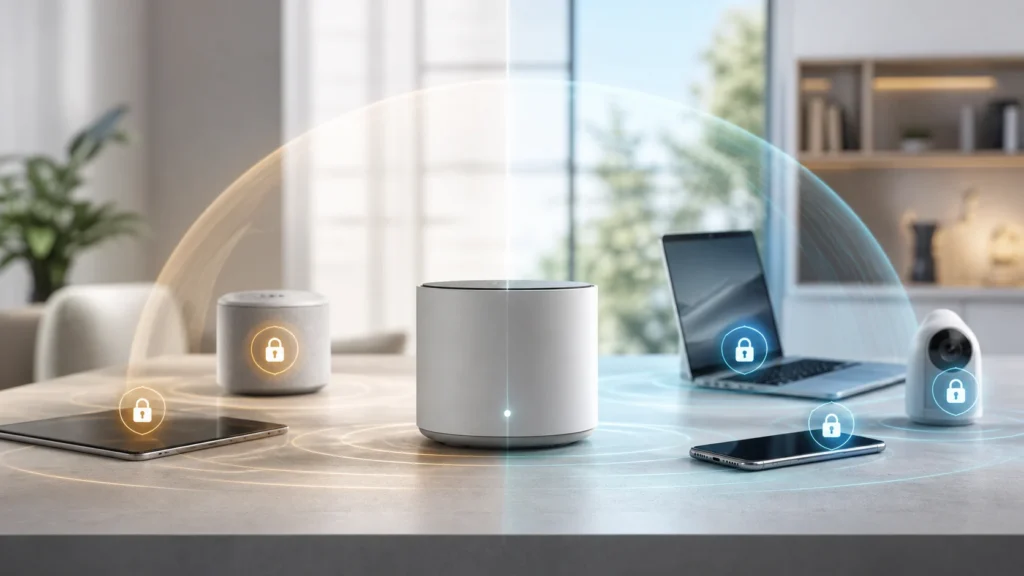
- one SSID can keep serving a mixed household during the transition.
This is why I no longer think of mixed mode as indecision.
I think of it as migration infrastructure.
If the house contains:
- a new laptop,
- a recent phone,
- a modern tablet,
- and one annoying smart device from years ago,
mixed mode is often the humane answer.
The important part is not mistaking that compromise for the finish line. It is a bridge. A useful bridge, but still a bridge.
WPA3-only starts making sense once the network has stopped negotiating with legacy hardware
There is a point where the answer changes.
eero’s guidance is very helpful here because it exposes three practical states:
Standard (WPA2)Hybrid (WPA2 + WPA3)Enhanced (WPA3)
That structure mirrors the actual home-upgrade journey nicely.
WPA3-only makes the most sense when:
- every device that truly matters supports WPA3;
- you are tired of keeping old compatibility constraints alive;
- you want the cleanest available security posture on your main SSID;
- you are already treating lagging devices as guests, IoT stragglers, or retirement candidates.
It also matters more if you are using 6 GHz. eero’s support page states clearly that the 6 GHz band supports WPA3 only, and that requirement is part of why newer Wi-Fi generations increasingly push the whole ecosystem toward a WPA3 future.
That is one reason I think the long-term direction is already settled even if the short-term migration is messy.
WPA2 is not ideal forever, but WPA2-AES is not the same thing as negligence
This is where nuance matters.
ASUS’s current security guidance says that for most users, keeping WPA2-AES or WPA3 enabled is the safest default setting. That is not the same as saying WPA2 and WPA3 are equally strong. It is saying that WPA2-AES is still a legitimate baseline in homes where compatibility remains a practical constraint.
I think that is the kindest way to frame it.
If you are still on WPA2-AES because:
- an older printer will not behave;
- a camera refuses WPA3;
- an IoT device fails in transition mode;
- a mesh node or adapter breaks under WPA3,
that does not mean you are reckless.
It does mean the network is carrying legacy drag.
That distinction matters because it lets you stay honest without becoming dramatic. WPA2-AES is not the same thing as WEP-era carelessness. But it is also no longer the direction the ecosystem is trying to move toward.
The cleanest home strategy is often separating the main SSID from the “legacy problem set”
This is where the topic starts connecting to the rest of sane home-network design.
If the main Wi-Fi is where your newer, trusted devices live, then I increasingly want that network to move toward the strongest practical baseline. Meanwhile, older devices that still force compatibility compromises may deserve a different lane.
That could mean:
- keeping the main SSID on WPA3 or mixed mode;
- placing legacy IoT or awkward clients on a separate SSID;
- using a guest-style or lower-trust network for devices that slow down security progress;
- combining that choice with ideas like home IoT VLAN isolation or clear VLAN boundary planning.
Once I started thinking that way, WPA3 stopped feeling like a house-wide referendum and started feeling like a gradual sorting exercise.
Not every device deserves veto power over the main network forever.
The question is not really “WPA2 or WPA3?” It is “What is your upgrade posture?”
I think this is the sentence that finally made the whole topic click for me.
Almost nobody at home is deciding between two abstract white papers.
They are deciding between three practical postures:
- stay on WPA2-AES for compatibility;
- move to mixed mode as a migration step;
- go WPA3-only where the device ecosystem is clean enough.
If someone asked me what I would do now, the answer would usually be:
- prefer WPA3 where possible;
- use mixed mode if the network still contains important WPA2-only devices;
- keep WPA2-AES only as long as compatibility genuinely requires it;
- update firmware on both router and client devices before assuming incompatibility is permanent.
That last part matters. TP-Link’s official WPA3 page explicitly says some compatible routers only need a firmware update to gain WPA3. The same logic often applies on the client side too. Sometimes “legacy” really means “never updated.”
If your phones and laptops support WPA3 but one printer, camera, or IoT device does not, mixed mode is usually a cleaner answer than freezing the whole network on WPA2 forever or breaking the house in one dramatic night.
How I think about the upgrade now
I no longer think of WPA3 as a scary setting that might randomly break my network.
I think of it as the direction my network should be moving unless a specific device gives me a good reason to pause.
That is a healthier mindset.
WPA3 is the better protocol.
WPA2-AES is still serviceable when needed.
Mixed mode is the bridge between them.
The real work is not choosing the most heroic option.
It is choosing the strongest setting the house can support without turning one old printer into a weekly family argument.
Conclusion
Yes, it is time to upgrade toward WPA3 if your home network can support it. The protocol offers real security improvements over WPA2, especially around password-guessing resistance and management-frame protection. But the honest home answer is not always “flip WPA3-only tonight.” For many networks, the smartest path is mixed mode first, then WPA3-only once the oldest problem devices have been updated, isolated, or replaced.
What finally helped me was stopping the debate from sounding ideological. WPA3 is not a purity badge. It is the better destination. The only real question is how gracefully your current devices let you get there.
FAQ
Is WPA3 more secure than WPA2?
Yes. Official vendor documentation from ASUS, Google, and eero all describe WPA3 as stronger, with better resistance to offline dictionary attacks and additional protections such as SAE and management-frame protection.
Should I switch straight to WPA3-only?
Only if the devices that matter all support it reliably. If older gear still depends on WPA2, a mixed or transition mode is usually the cleaner migration step.