There was a long stretch where my homelab technically had structure, but mentally it still lived in fragments.
A static IP here.
A DHCP reservation there.
A VM that used to be one thing and quietly became another.
A firewall note in one file, a switch note in another, and a suspicious amount of confidence that I would simply remember the rest.
That confidence always expires.
That is why NetBox started making sense to me.
Not because I wanted to cosplay an enterprise network team at home, but because I wanted one place where an address could stop being just a number and start being part of a system I could actually read.
- Why NetBox matters more as a source of truth than as a notes app
- What to model first before adding individual IP addresses
- How prefixes, interfaces, and assignments fit together
- What I would track in a homelab and what I would leave out
- How to keep NetBox useful instead of abandoned
NetBox is most useful when it stops being a prettier spreadsheet
The official NetBox documentation describes it as a source of truth, and that phrase matters more than it first appears. A source of truth is not just a place where data exists. It is the place you trust to describe what exists.
That is a very different mindset from keeping a casual inventory.
If NetBox only becomes the fourth place where an IP address is written down, it will feel heavy and unnecessary. But if it becomes the place that explains which subnet exists, what it is for, which device or VM owns a given address, and whether that address belongs inside a larger hierarchy, then the whole homelab starts feeling less improvised.
That is the shift I think matters most. NetBox is not interesting because it stores addresses. A text file can do that. NetBox becomes interesting when it stores relationships.
The best place to begin is not with hosts but with structure
One thing I like in the official NetBox planning documentation is that it encourages you to think about order of operations instead of dumping raw objects into the system randomly. That fits homelabs too.
When people first open NetBox, the temptation is usually to start entering IPs one by one:
10.0.10.2for a hypervisor;10.0.10.20for a DNS VM;10.0.20.15for a camera system;192.168.x.xentries inherited from older decisions.
But that usually creates noise before it creates clarity.
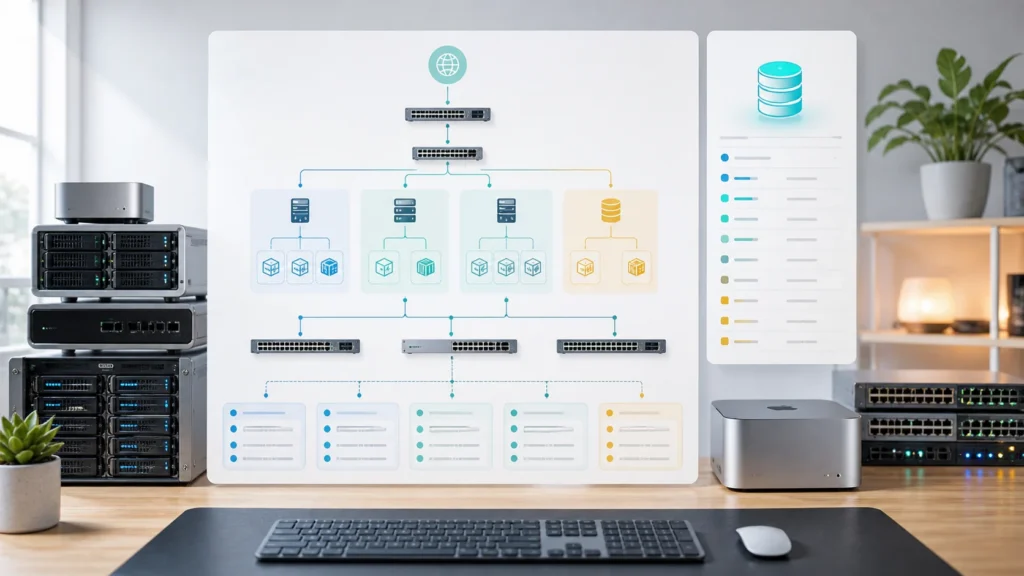
NetBox’s IPAM model is hierarchical. The documentation for aggregates and prefixes makes that very explicit. Aggregates describe the larger address space you care about, while prefixes define the actual IPv4 or IPv6 networks within that space. Prefixes are then automatically organized within their hierarchy.
That means a cleaner homelab approach is usually:
- define the broad private space you care about;
- define the VLAN or subnet prefixes you actually use;
- only after that start documenting individual addresses.
I think this is the first major mental win. A host address is easier to understand when it already belongs to something visible.
Prefixes first, IP addresses second, assignments third
The official prefix and IP address documentation makes the relationship clear: a prefix represents the network, while an IP address object represents a host address that can be assigned to an interface. NetBox also allows device and virtual machine interfaces to carry those assignments, and devices can have primary IPs selected from their interface addresses.
That is exactly why I would not use NetBox as a flat host list.
In a homelab, a sane model usually looks like this:
- create your site or location if you want physical context;
- define prefixes for the networks you actually use;
- add devices or virtual machines that matter operationally;
- add interfaces where the address lives;
- then assign the IP address to the correct interface.
That sequence is slightly slower than typing addresses into a spreadsheet, but it pays off immediately. You stop asking, “What was 10.0.30.12 again?” and start seeing that it belongs to a VM, on a specific interface, inside a specific prefix, inside a network that already has a purpose.
That is the point where documentation starts helping instead of just existing.
In a homelab, restraint matters almost as much as completeness
This is where I think people can accidentally make NetBox miserable.
Because once a system is powerful, it becomes tempting to model everything.
Technically, NetBox can track far more than many homelabs actually need. It has strong IPAM and DCIM depth, supports tagging, supports custom fields, and can describe devices, interfaces, virtual machines, and many other relationships. The mistake is assuming that because the model can grow large, your first pass should grow large too.
If I were setting it up from scratch for a homelab, I would start by documenting only what affects operational decisions:
- prefixes and VLAN-backed subnets;
- important static IPs;
- infrastructure DHCP reservations worth preserving;
- device and VM ownership for those addresses;
- tags for things like
critical,lab,media, orneeds-cleanup.
NetBox’s tags documentation is useful here because tags create a light organizational layer without forcing a new hierarchy. And the custom fields documentation is helpful when you genuinely need one extra piece of metadata, like “managed by Ansible” or “publicly exposed,” without turning the whole platform into a custom database project.
But I would stay disciplined. If a field will never influence a decision, search, audit, or change window, it probably does not need to be there.
VRFs, overlapping space, and advanced modeling only matter when they truly matter
NetBox’s IPAM documentation supports more advanced constructs like VRFs, which are useful when overlapping address space or routing separation is real in your environment.
That is important, but I think it is also where homelab users can overcomplicate the first month.
If you have one straightforward home environment, one set of internal subnets, and no overlapping private space, you probably do not need to begin with VRFs just because the feature exists. If you later split labs, tenants, isolated environments, or duplicate address plans across test networks, then VRFs start making real sense.
I like that NetBox has room for that growth. I just would not spend the early setup phase decorating complexity that does not yet exist.
A good homelab source of truth should feel boring in a healthy way. It should explain reality, not flatter ambition.
The real payoff is when NetBox explains change, not just current state
This is the part I appreciate most.
A decent spreadsheet can tell you that an IP exists.
A good NetBox model can tell you where that IP belongs and what else is nearby when you need to change something.
That matters when:
- you migrate a VM to a different subnet;
- you split one flat network into several prefixes;
- you decide a DHCP reservation should become a static address;
- you want to know which systems still live in an old address plan;
- you need to check whether a new address is clean before assigning it.
The value is not just inventory. It is reduced hesitation.
That is why I would connect NetBox mentally to the rest of the homelab stack. If DNS helps names feel readable and DHCP helps assignment stay predictable, NetBox helps the whole addressing story stay understandable over time.
What I would actually do on day one
If I were configuring NetBox in a homelab just to document IP addresses cleanly, I would keep the first pass simple:
- create the broad private address space I care about;
- add the real prefixes I use for LAN, servers, IoT, guests, or management;
- add the core devices and virtual machines that anchor those networks;
- assign interfaces and primary IPs where it makes sense;
- use tags sparingly for quick filtering;
- add one or two custom fields only if they solve a real operational question.
That is enough to make NetBox useful without turning setup into its own hobby.
And once that foundation exists, the rest becomes much easier to trust. New VMs, renamed services, and cleaned-up address plans all have somewhere stable to land.
The bigger lesson is that documentation should lower stress
I think that is the standard worth using for any homelab tool.
If a tool makes you feel more organized only while you are actively looking at it, but leaves you with more overhead the rest of the time, it is probably not helping enough.
NetBox helps when it reduces uncertainty. When you can search an address, find its owner, see its prefix, understand its purpose, and make the next networking decision with less guesswork, then the platform has justified itself.
That is why I would recommend it for homelab IP documentation, especially once the lab is large enough that memory stops being reliable but still small enough that good habits can reshape it quickly.
Verification note: Commands, terminology, and support details in this guide were cross-checked against NetBox’s official documentation.
For broader context, continue with Installing Proxmox VE for the First Time: A Practical Guide and The First Homelab Mistakes I Would Never Repeat.
Conclusion
Configuring NetBox in a homelab is less about importing every possible object and more about choosing the right level of truth. The official documentation is built around hierarchy for a reason: aggregates support prefixes, prefixes support host addresses, and IP addresses become most useful when they are tied to interfaces, devices, and virtual machines. That structure is what makes NetBox different from a spreadsheet.
For a homelab, I think the smartest start is modest and disciplined. Define the networks first. Document meaningful addresses second. Assign them to real objects third. Add tags and custom fields only when they answer real questions. Do that, and NetBox stops feeling like overkill and starts feeling like relief.
FAQ
Should I enter every DHCP client into NetBox?
Not necessarily. In a homelab, I would usually document the addresses and reservations that matter operationally, not every temporary client that appears on the network. The goal is a usable source of truth, not noise.
Do I need devices and interfaces in NetBox if I only care about IP addresses?
You can start lighter, but NetBox becomes much more valuable once addresses are attached to real objects. That relationship is what turns a list of numbers into documentation you can trust during changes and troubleshooting.