For a long time, I treated weak Wi-Fi like a software mood.
If the signal felt bad in one room, I would think about firmware, channel widths, DNS, reboots, or whether I had somehow bought the wrong hardware. Physical placement felt too simple to be the real answer, which is exactly why I underestimated it.
What eventually changed my mind was noticing how often the problem was not that the router was bad. It was that I had asked radio waves to do something awkward:
- leave a corner,
- pass through heavy walls,
- sneak through furniture,
- bounce around reflective surfaces,
- and still reach every device as if the room layout did not matter.
Wi-Fi is invisible, which makes it easy to forget it is still physical.
That is why router placement matters so much. Before tuning, before upgrading, and definitely before blaming the ISP, it is worth asking whether the signal is simply being forced to fight the room.
- Why placement often matters more than settings
- What walls, mirrors, metal, and furniture actually do to Wi-Fi
- Why central placement beats edge placement almost every time
- How height changes coverage more than people expect
- When antenna orientation helps and when it does not
- Why cabinets and decorative hiding spots are usually bad ideas
- How I decide when to reposition, add an access point, or stop expecting miracles
The protocol and configuration baseline below is checked against Google's official Wi-Fi placement guidance; the topology and risk recommendations are my practical interpretation.
Placement matters because Wi-Fi is still negotiating with the building
Google Fiber’s current guidance explains the heart of the issue very plainly: Wi-Fi uses radio signals that degrade when passing through physical objects. Their obstacle table is refreshingly practical. Concrete, brick, cinder block, and metal are treated as severe blockers, while drywall, wood, thick glass, and large mirrors still weaken the signal noticeably.
That framing helped me because it pulled the conversation out of mysticism.
The signal is not “randomly weak.”
It is being absorbed, reflected, interrupted, or stretched across a layout that may not be friendly.
Cisco Meraki’s placement guidance makes the same point in a more infrastructure-oriented way: fewer walls are better than more walls, uninsulated drywall is friendlier than concrete, and radio interference from nearby devices still matters.
Once I accepted that, bad coverage stopped feeling like an insult and started feeling like a map problem.
The biggest beginner mistake is placing the router where it is convenient, not where it can radiate cleanly
This is the most common home-network trap I know.
The modem enters the house in an awkward corner.
The TV console has a spare shelf.
The cabinet can hide the blinking lights.
The hallway socket is ugly.
The living room edge is “good enough.”
Every one of those decisions is understandable. Most of them are quietly bad for Wi-Fi.
TP-Link’s current placement guide puts the main rule bluntly: place the router as close to the center of the room as possible, because pushing it against an outside wall weakens coverage on the far side of the home. That idea sounds obvious after you hear it, but it took me too long to respect it.
If the signal needs to reach outward in many directions, the router should not begin life already pinned to one edge of the story.
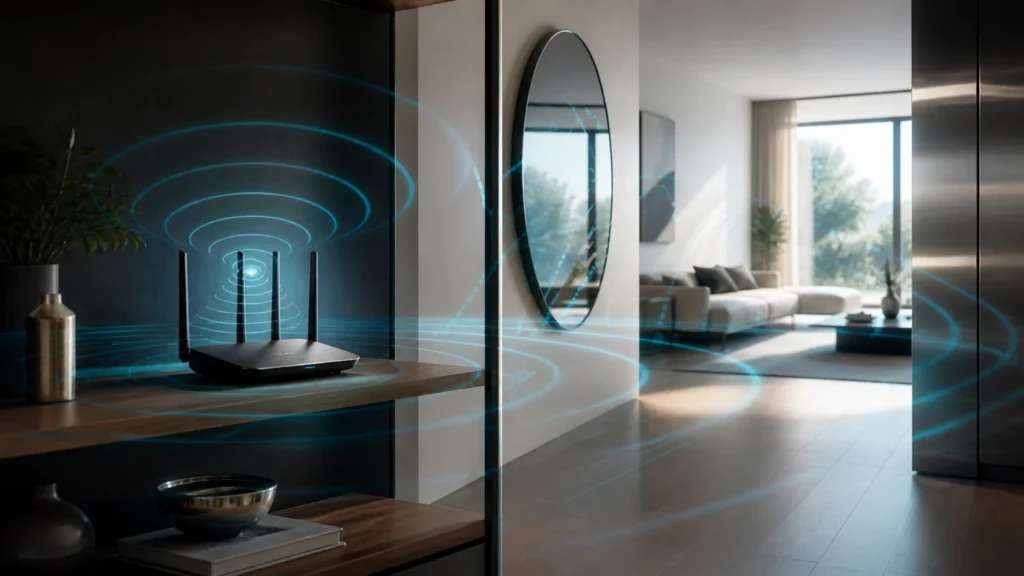
Mirrors are not magical villains, but they are absolutely part of the problem
I used to think people blamed mirrors because it sounded dramatic.
Then I noticed how often official guidance includes them.
Google Fiber lists large mirrors among the moderate blockage materials that weaken Wi-Fi. eero’s placement guide goes even further and explicitly says to keep units away from mirrors, windows, and other glass items, along with metal furniture and aquariums.
That does not mean one decorative mirror destroys a network.
It means reflective and dense surfaces are part of the environment the signal must negotiate.
The same is true for:
- metal shelving,
- refrigerators,
- media furniture,
- fish tanks,
- brick walls,
- concrete between floors,
- thick cabinets,
- and heavy decorative structures that sit between the router and where people actually use devices.
What finally helped me was not thinking in terms of “good objects” and “bad objects,” but in terms of cleaner paths and dirtier paths. Wi-Fi prefers a cleaner path.
Height helps because most home Wi-Fi wants room to spread along the plane of use
One of the easiest placement upgrades is simply getting the router off the floor.
Google’s Nest placement guidance recommends putting the unit off the ground and in plain view, ideally in a central location. TP-Link similarly recommends placing the router on a table or shelf rather than low or enclosed. eero says its devices radiate more upward than downward, but mostly along the plane they are placed on, which is why they recommend a position roughly halfway between floor and ceiling rather than on the ground.
That combination of vendor guidance points toward a very practical rule:
put the router where it has open space to breathe at normal living height.
Not buried under a desk.
Not on the floor behind a cabinet.
Not jammed next to the power strip graveyard.
The more I internalized that, the less I expected Wi-Fi to perform miracles from places where I would not even place a lamp if I wanted a room to feel open.
Antenna orientation matters, but only after placement stops being self-sabotage
This is the part people often over-focus on because it feels technical.
And to be fair, antenna orientation can matter.
TP-Link’s current router placement guide says that if coverage is needed mainly on one floor, external antennas should generally be vertical. If coverage needs to reach upstairs or downstairs as well, angling them around 30 degrees can help distribute the pattern across floors more effectively.
That is useful advice, but I think it becomes misleading when treated like a silver bullet.
If the router is:
- stuck in a corner,
- trapped in a cabinet,
- shadowed by metal,
- or trying to cross multiple dense walls,
then perfect antenna posture will not rescue the overall plan.
I now think about antenna orientation the way I think about good cable management in a bad rack: worth doing, but not a substitute for the larger layout being sensible.
Not all antennas behave the same way, which is why orientation advice is never universal
This is where many home guides become too simple.
Ubiquiti’s antenna pattern documentation makes an important point: radiation patterns change depending on the device, the band, and the installed environment. Their guidance says the plots are only a general guide because materials, geometry, and interference all change the result in practice.
Cisco Meraki says something similar from a different angle. Their antenna FAQ notes that integrated indoor antennas often have a more spherical coverage pattern by design, while the range-and-signal guide contrasts spherical patterns with flatter, more plane-focused ones.
What that means in plain home language is this:
- external adjustable antennas respond more obviously to angle changes;
- integrated antennas are still shaped devices, but the hardware decides more of the pattern for you;
- some equipment wants horizontal or ceiling-oriented placement;
- some omnidirectional antennas are happiest vertical;
- directional antennas are a separate world and need to face the intended coverage area deliberately.
So yes, orientation matters. But it matters in the context of the hardware’s actual radiation behavior, not as a universal “always point them like this” superstition.
Cabinets, media consoles, and “clean aesthetics” are common Wi-Fi enemies
I understand the impulse to hide networking gear.
Routers are rarely beautiful.
Cables are rarely elegant.
Blinking LEDs do not usually improve a room.
But several official guides converge on the same warning:
- TP-Link says to avoid cabinets and wall-blocked locations because they significantly reduce signal strength.
- eero says the devices communicate best when not closed in.
- Google recommends plain view and open placement.
That consistency matters.
If the router is treated like something that must be concealed behind wood, glass, metal, or entertainment furniture, the signal often ends up paying the price for the room’s aesthetics.
I do not think every space needs to look like a lab.
I do think some decorative choices quietly tax the network every hour of the day.
Before buying stronger hardware, try moving the existing router into a more central, elevated, and unobstructed position. That change often improves coverage more than people expect.
Interference sources matter too, especially when the router shares space with appliances and electronics
The building is only half the story.
The room itself can be noisy.
Google Fiber lists microwaves, baby monitors, and Bluetooth devices as interference sources. TP-Link says to keep routers away from microwaves, televisions, and similar appliances. eero’s guidance adds refrigerators, fluorescent lights, cordless phones, and other electronics that occupy or disturb nearby radio conditions.
The broad lesson is not that every appliance is a Wi-Fi killer.
It is that radio gear likes breathing room.
If the router lives in a dense electronics cluster, it is not just fighting walls. It may also be living inside a small interference neighborhood.
That is one reason I increasingly like separating routing duty from “TV zone duty” when possible. A networking device does not need to be emotionally attached to the entertainment cabinet just because the ISP handoff arrived there first.
At some point, better placement stops being enough and a better topology wins
This is the other lesson I wish I had learned earlier.
Sometimes the answer is not more fiddling.
Sometimes the layout is genuinely larger or more hostile than one router should be expected to handle.
Meraki’s range guide explicitly recommends trying movement and line-of-sight improvements first, but it also frames this as a matter of environment and antenna type, not magic. eero and Google Fiber both describe mesh or extender placement as a relay problem: the additional node should sit where it can still hear the main router well, not directly inside the dead zone.
That maps cleanly to how I think about home upgrades now:
- first, place one router better;
- second, stop hiding it;
- third, reduce obvious obstacles and interference;
- fourth, if the home still defeats the signal, add a properly placed access point or mesh node;
- fifth, if possible, use Ethernet backhaul and treat Wi-Fi like coverage, not telepathy.
That is also why I keep returning to the logic behind access points instead of stacking awkward second routers. Better topology beats prettier suffering.
How I think about router placement now
I no longer ask only whether the router is powerful enough.
I ask whether the room is giving it a fair chance.
Is it central enough?
Is it open enough?
Is it elevated enough?
Is it blocked by dense materials?
Is it too close to appliances or metal?
Are the antennas working with the home instead of against it?
And if the answer to those questions is still disappointing, then I stop expecting one box to solve a building-shaped problem and start thinking about a cleaner distribution plan, whether that means practical network hardware planning or treating Wi-Fi as a system rather than a decorative afterthought.
Conclusion
Router placement matters because Wi-Fi is physical long before it becomes configurable. Walls attenuate it, metal reflects it, mirrors and glass complicate it, appliances interfere with it, and antenna orientation shapes where the energy goes. That is why central, elevated, open placement usually wins, and why hidden-cabinet setups so often disappoint even with decent hardware.
What finally helped me was accepting that bad placement is not a subtle bug. It is often the main story. Once I started treating router location as part of the network design instead of part of the furniture plan, Wi-Fi problems became much easier to explain and much easier to fix.