Choosing your first Linux distribution can feel harder than choosing Linux itself.
At first, it seems like a normal software decision.
Then the internet gets involved.
Suddenly every distro is not just a system but a philosophy. One is “for serious users.” Another is “too mainstream.” Another is “cleaner.” Another is “more pure.” Another is “better if you really want to learn.” Before long, a beginner who only wanted a stable laptop for browsing, documents, updates, and light experimentation can end up feeling as if the choice carries spiritual consequences.
I do not think it should feel that heavy.
A first Linux distribution does not need to prove taste.
It needs to remove friction.
That is why I think the best first distro is usually the one that gives you the calmest first month, not the one that wins the loudest arguments online.
- What a first Linux distro should actually do well
- The four beginner-friendly choices I trust most
- Which distro fits which kind of beginner
- What I would ignore when choosing
- How to make the first install less risky
The steps and terminology below are checked against Ubuntu's official documentation; menu names and behavior can vary by operating-system release and hardware.
A first Linux distribution should make learning feel sustainable
This is the real standard I keep coming back to.
A first distro should not ask the beginner to admire it from a distance.
It should help them live in it.
That usually means five things matter more than people expect:
- hardware support that feels boring in a good way;
- a desktop that makes sense without ideological training;
- updates that feel understandable rather than dramatic;
- documentation and community help that actually exist;
- defaults that reduce the number of decisions required on day one.
That is why the first distro question is not really “Which Linux is best?”
It is closer to:
“Which Linux will give this person the fewest avoidable reasons to go back immediately?”
That is a gentler and more useful question.
The first big mistake is choosing Linux like a spectator sport
I think beginners get trapped here all the time.
They choose based on:
- what looks coolest on YouTube;
- what sounds most advanced;
- what has the loudest fans;
- what promises limitless customization before the user even knows what they want to customize.
That usually leads to unnecessary friction.
The first distro should not be chosen to impress a future version of yourself.
It should be chosen to support the current version of yourself.
If your first month on Linux becomes a string of avoidable repairs, the problem is not that you are not smart enough. The problem is usually that the first fit was too demanding.
That range is also visible in purpose-built systems such as Alpine Linux for lightweight LXC services. Modern Linux can be much friendlier, but the trap is often premature optimization rather than raw technical impossibility.
Ubuntu is still the easiest default answer for many beginners
I know some people get tired of that answer.
I still think it survives for a reason.
Ubuntu’s official desktop pages emphasize three things that matter to a beginner:
- a large global community;
- a mainstream desktop experience;
- and long-term support releases with five years of free security and maintenance updates.
That is not glamorous, but it is extremely helpful.
Ubuntu is a strong first choice when someone wants:
- broad documentation;
- predictable help from search results;
- good odds that tutorials are written with their distro in mind;
- a mainstream desktop path that many other people have already walked.
It is not the only good option.
It is the option I recommend when the beginner wants the least surprising on-ramp.
Linux Mint is often the calmest answer for someone leaving Windows
Linux Mint’s own description is almost perfectly aligned with what many first-time users want. The project describes Mint as modern, elegant, comfortable, powerful, and easy to use. Its download pages also say the Cinnamon edition is the most popular and that Cinnamon is developed primarily for and by Linux Mint.
That matters because Mint does not only try to run Linux well.
It tries to feel immediately usable on the desktop.
For a Windows user, that can be a big emotional advantage.
Mint is a strong first choice when someone wants:
- a traditional desktop layout that feels familiar quickly;
- less visual friction during the transition from Windows;
- a calmer, more comfort-first desktop personality;
- a system that feels approachable without feeling toy-like.
If the main fear is “I do not want the interface itself to become the first obstacle,” Mint is one of the best answers available.
Fedora Workstation is the beginner choice for someone who wants a modern Linux desktop without starting too niche
Fedora occupies an interesting middle ground.
The Fedora Project describes Workstation as its official desktop edition and says it is intended to provide a powerful, easy-to-use desktop experience. Fedora also notes that Workstation uses GNOME by default, while the broader project offers other desktop spins too.
This makes Fedora attractive for a certain kind of beginner:
the one who wants Linux to feel modern, current, and clean from the start.
Fedora is a strong first choice when someone wants:
- a polished GNOME-first desktop experience;
- newer software than some slower-moving beginner recommendations;
- a system that still feels mainstream and well-documented rather than obscure;
- a path that can grow naturally into development or technical work later.
I usually would not recommend Fedora to someone who wants the most Windows-like visual transition.
I would recommend it to someone who is open to learning a new desktop style and wants that style to feel intentional and contemporary.
Debian Stable is excellent for the beginner who values calm reliability more than novelty
Debian is a little different emotionally.
Its releases page distinguishes clearly between stable and testing, and Debian’s official live image pages also make it easy to try stable desktop images directly from install media. That tells you a lot about the project’s personality already.
Debian Stable is not usually the distro I recommend for the average “I just want the easiest first Linux” question.
But it is a very good answer for a more specific beginner:
someone who already knows they value steadiness, clarity, and restraint more than the newest desktop experience.
Debian is a strong first choice when someone wants:
- a stable foundation;
- a project with deep history and broad credibility;
- a calmer release philosophy;
- less interest in novelty and more interest in predictable behavior.
What Debian asks in return is a little more patience and a little less expectation that every part of the beginner experience will feel heavily hand-held.
So which one should you choose?
If I had to reduce the whole article to a short practical answer, it would look like this:
- Choose Ubuntu if you want the safest mainstream beginner path.
- Choose Linux Mint if you are coming from Windows and want the calmest interface transition.
- Choose Fedora Workstation if you want a modern GNOME desktop and do not mind learning a slightly different rhythm from day one.
- Choose Debian Stable if your personality leans toward quiet reliability more than desktop freshness.
That is the honest shortlist I trust most.
Not because these are the only good distros.
But because they are good for reasons a beginner can actually feel.
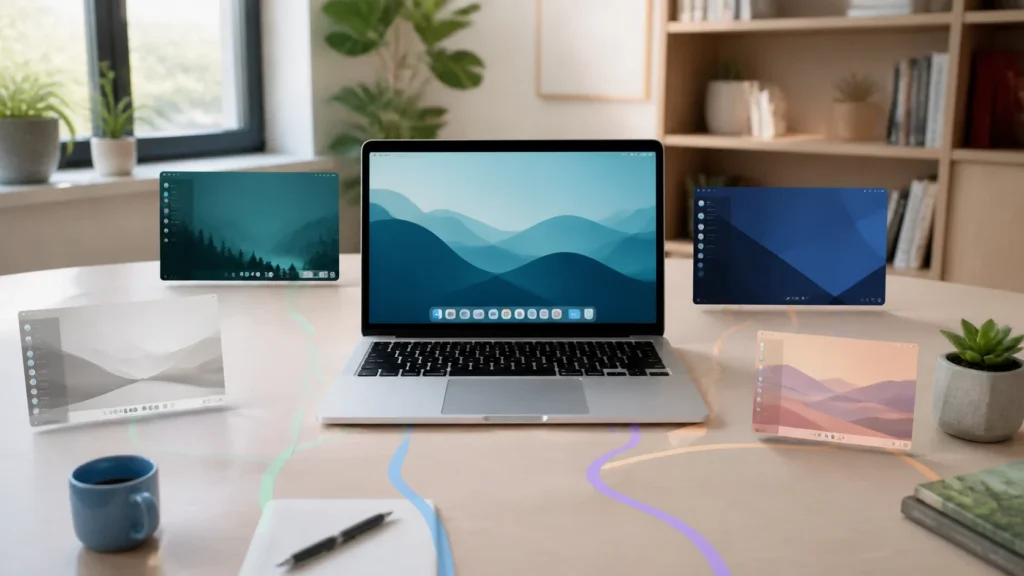
The desktop environment matters almost as much as the distro name
This is something beginners often discover late.
People talk about “Ubuntu,” “Mint,” or “Fedora” as if each name automatically defines the full experience. But the desktop environment shapes a surprising amount of what daily life feels like: the layout, the settings flow, the file manager habits, the visual expectations, and how familiar or unfamiliar the machine seems.
That is why Linux Mint Cinnamon can feel immediately comfortable to one person while Fedora Workstation’s GNOME flow feels cleaner and better to another.
The distro name matters.
The desktop feel matters almost as much.
If the interface itself makes you tense, the technical strengths underneath it will not matter very much in the first week.
What I would ignore when choosing a first distro
I would ignore most first-round debates about:
- package manager tribalism;
- window manager prestige;
- whether a distro is “too beginner”;
- whether an advanced user online thinks your choice is boring;
- how impressive the rice or screenshot culture looks around it.
Those things may matter later.
They usually do not matter first.
The first month of Linux is about:
- installing successfully;
- getting Wi-Fi, audio, updates, and display behavior working cleanly;
- browsing, writing, and learning comfortably;
- slowly building trust that the machine is not fighting you.
That is already enough.
The smartest first move is often to try before you commit
This is one of the nicest things about modern Linux.
Several of the beginner-friendly distributions above make live images easy to try. Debian’s official live image pages support exactly this kind of test-first approach. Ubuntu and Mint also make it straightforward to download installer media and try the system before making it permanent.
That means the safest path is often:
- download two or three sensible candidates;
- try them from live USB media;
- check Wi-Fi, trackpad, display scaling, sound, sleep, and general comfort;
- then choose the one that feels least resistant.
I think that is a far healthier process than reading fifty contradictory opinions and treating the final choice like a moral referendum.
The goal is not to choose the one true operating system forever. The goal is to choose the one that helps you stay curious long enough to learn what you actually like.
The safest way to test that choice is before installation. A Linux live USB lets you validate hardware, networking, suspend, graphics, and the desktop workflow without changing the existing system.
Conclusion
The best first Linux distribution is usually the one that keeps your learning energy intact. That means strong defaults, understandable updates, a desktop that feels livable, real documentation, and enough hardware friendliness that the system becomes a place to learn rather than a wall to climb. For most beginners, Ubuntu, Linux Mint, Fedora Workstation, and Debian Stable remain the strongest starting points for exactly those reasons.
What helped me think about the question more clearly was giving up the fantasy of the perfect answer. A first Linux distro does not need to reflect ultimate expertise. It needs to make the first month survivable, useful, and interesting enough that you want a second month. If it does that, it was the right first choice.
FAQ
What is the easiest first Linux distribution for most beginners?
For many people, Ubuntu or Linux Mint will feel easiest because both have approachable desktop experiences and large amounts of beginner-friendly help available online.
Is Linux Mint better than Ubuntu for Windows users?
Often yes, especially if the user wants a more traditional desktop feel. Mint’s Cinnamon environment is usually easier for Windows users to recognize quickly.