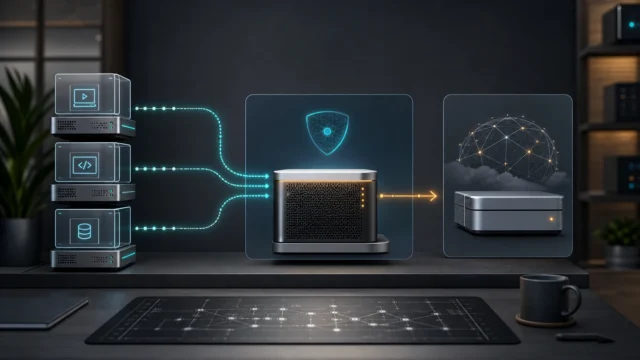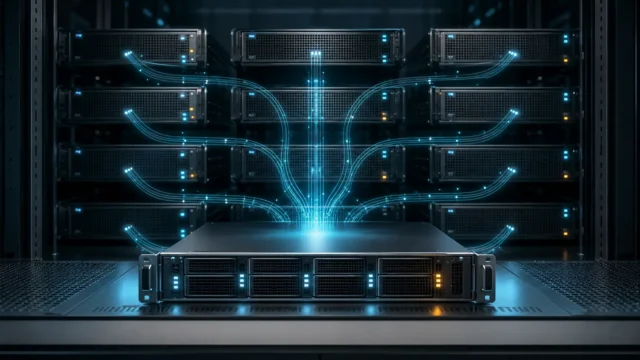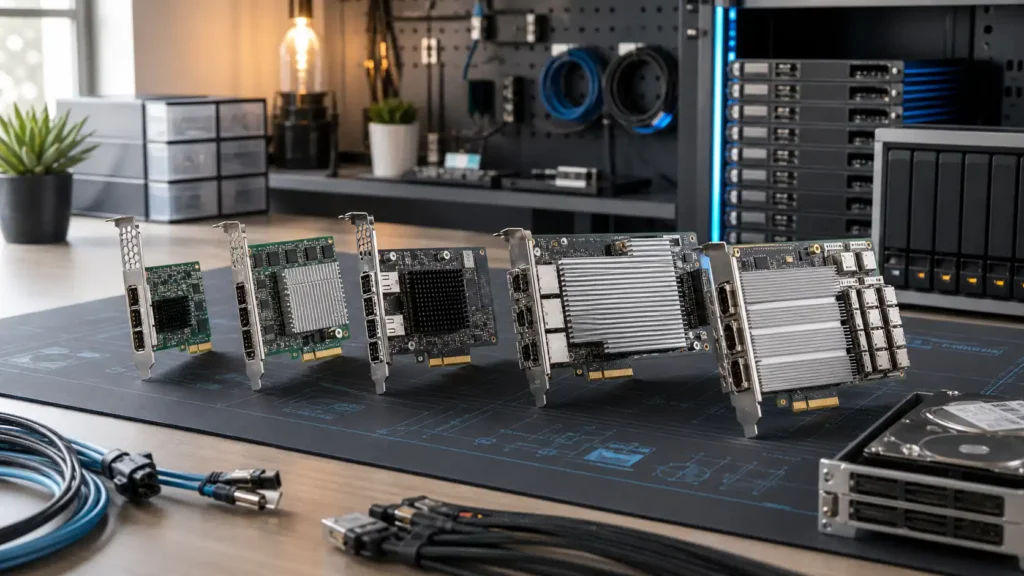
HBA shopping gets confusing fast because homelab people often talk about three different eras of storage cards as if they belong to one clean shopping list.
A cheap used LSI card from the SAS-2 days.
A very sensible 12Gb/s SAS card from the real homelab sweet spot.
A shiny modern tri-mode adapter that sounds like it belongs in a server you probably do not own yet.
All three can be good at different moments in the life of a lab.
That is why I do not think there is one universal best HBA for a homelab. There is only the best HBA for the number of drives, type of backplane, protocol ambitions, and future regret you are trying to manage right now.
- Why HBA buying becomes more confusing than it should
- The five cards I think make the most sense by homelab stage
- When an older used card is still perfectly rational
- When tri-mode adapters start being worth the money
- What I would check before buying any HBA at all
The most important distinction is not brand, it is storage intent
Before the list, I think one thing matters most: are you trying to attach SATA or SAS drives for bulk storage, or are you trying to buy into a more modern mixed-storage future that includes NVMe on the adapter side too?
Broadcom’s current host-bus-adapter lineup makes that split obvious. The older 9207, 9300, and 9305 families are classic SAS/SATA HBAs. The 9500 and 9600 families move into Tri-Mode territory, where one adapter family can service NVMe, SAS, or SATA devices depending on the backplane and platform design.
If your chassis, cables, motherboard lanes, and drives are still living in a humble SATA/SAS world, then buying the fanciest tri-mode card in the lineup may be more aspirational than useful. On the other hand, if you are already planning a denser or more modern platform, an older bargain card can become a dead end surprisingly fast.
1. LSI SAS 9207-8i: the budget used classic
If the goal is inexpensive pass-through for a modest drive count, this is still the card I would expect to see in the conversation.
Broadcom’s legacy documentation says the 9207-8i provides eight lanes of 6Gb/s SAS storage connectivity over a PCIe 3.0 x8 host interface, with two internal SFF-8087 connectors and support for up to 256 SATA or SAS end devices. That tells you exactly what kind of card it is: old enough to be unglamorous, modern enough to remain useful, and especially attractive for HDD-heavy or SATA SSD-heavy bulk storage builds.
Why it makes the list:
- used-market pricing is usually the main appeal;
- eight internal lanes is enough for many first real storage builds;
- it is still a practical pass-through card for older shelves and backplanes;
- for spinning-rust arrays, 6Gb/s SAS is often not the bottleneck.
Why I would slow down:
- it is clearly an older generation;
- SFF-8087 cabling belongs to an earlier ecosystem;
- it is not where I would invest if future flexibility matters.
This is the “I need a real HBA, not a research project” choice when cost is the loudest variable.
2. LSI SAS 9300-8i: the all-around homelab sweet spot
If I had to name the most balanced recommendation for a lot of serious homelabs, this would probably be it.
Broadcom’s 9300 family brief says the adapters support 12Gb/s SAS, PCIe 3.0, and over 1 million IOPS, with the 9300-8i using two internal SFF-8643 connectors for eight internal ports. That puts it in a much more comfortable generation than the 9207 without throwing you into the higher cost and ecosystem shifts of modern tri-mode cards.
Why it makes the list:
- 12Gb/s SAS is the mainstream “I do not want to think about this again soon” tier;
- eight ports still fits a lot of common home servers;
- mini-SAS HD cabling feels more current;
- it is a cleaner long-term buy than the 9207 if the price gap is reasonable.
Why I like it conceptually is that it avoids both extremes. It is not the cheapest relic, and it is not expensive future theater. It is the calm card for a homelab that is genuinely becoming a storage host.
3. SAS 9305-16i: the density upgrade that changes the chassis math
This is where the conversation stops being about first HBAs and starts being about drive count.
Broadcom’s 9305 materials describe the 9305-16i as a 12Gb/s SAS HBA with sixteen lanes of 12Gb/s SAS connectivity over eight lanes of PCIe 3.0 host bandwidth. The broader 9305 family materials also call out 16- and 24-port options for increased connectivity and maximum performance.
That matters because once you move into 12-bay, 16-bay, or higher-density internal builds, the value of fewer cards, fewer slot compromises, and cleaner cabling becomes very real.
Why it makes the list:
- 16 internal ports is the practical jump where “bigger than 8i” starts paying off;
- it fits dense storage chassis far better than juggling multiple smaller cards;
- it stays in the familiar SAS/SATA HBA world instead of dragging you into tri-mode complexity.
Why I would not buy it blindly:
- many homelabs simply do not need that many internal ports;
- lane and airflow planning matter more at this size;
- if the chassis will never exceed eight drives, it is probably unnecessary.
This is the card for the homelabber who already knows the storage pool is going to grow.
4. HBA 9500-8i: the modern tri-mode step that actually means something
This is where the list stops being purely used-market nostalgia and starts becoming architecture.
Broadcom’s current page for the 9500-8i describes it as a PCIe Gen 4.0 Tri-Mode HBA with eight internal ports. The 9500 product brief adds the more important part: Tri-Mode SerDes lets the adapter operate NVMe, SAS, or SATA storage devices in a single drive bay, and the family is the first HBA line to offer both PCIe Gen 4.0 host and PCIe Gen 4.0 storage interfaces.
That is a different class of flexibility.
Why it makes the list:
- it is the first card here that clearly belongs to a mixed-protocol future;
- PCIe Gen 4.0 keeps the host side from feeling dated quickly;
- it makes sense for builders already thinking about NVMe-capable backplanes or next-platform storage plans.
Why I would not recommend it to everyone:
- most ordinary SATA/SAS-only homelabs do not need it;
- the surrounding platform has to justify it;
- it is easy to buy this card for the dream chassis instead of the one you actually own.
This is the point where the HBA becomes less about adding drives and more about not painting the storage design into a corner.
5. eHBA 9600-16i: the future-facing overkill card that becomes rational only on purpose
I am including this one because sometimes the right answer really is “buy once, cry once,” but I want to be honest about how specialized that can be.
Broadcom’s current 9600-16i page says the adapter supports 24G SAS, PCIe Gen 4.0 Tri-Mode connectivity, and can connect up to 240 SAS/SATA devices or 32 NVMe devices. The 9600 series brief frames the whole family around higher-core-count CPUs, SSD-based storage, and more flexible designs for NVMe, SAS, and SATA.
Why it makes the list:
- it is the most future-facing card in this selection;
- 16 ports plus 24G SAS and tri-mode flexibility make it extremely capable;
- it suits a lab that is explicitly being designed around high-density, modern storage.
Why I would recommend it only carefully:
- for many homelabs, this is honest overkill;
- price and platform requirements can outrun the actual workload fast;
- if you do not already know why you need it, you probably do not need it yet.
I think of the 9600-16i as the card you buy when the rest of the storage design is already ambitious enough to deserve it.
The quiet truth is that most homelabs should stop at 9300 or 9305 territory
The existence of 9500 and 9600 family cards does not make older or simpler HBAs obsolete for home use. In a lot of labs, especially ones built around SATA drives, SAS expanders, or conventional backplanes, the 9300-8i or 9305-16i will remain the saner buy long after the shiny cards become available.
That is why I try to connect HBA choice to the same mindset I use in other storage decisions. In the article about single-drive versus multi-drive setups, the deeper lesson was that the calm answer is often the one that fits the current risk and capacity plan, not the one that feels most impressive. Storage controllers are the same. Buying beyond the rest of the system rarely creates balance.
What I would check before buying any HBA
Before choosing one of these cards, I would want clean answers to a few basic questions:
- How many internal drives do I actually need this card to handle now?
- What connectors and backplane type does my chassis expect?
- Am I staying SATA/SAS, or am I honestly planning around NVMe-capable storage paths?
- Do I want the cheapest usable pass-through option, or the card I can keep through the next chassis change?
- Does my motherboard have the right slot bandwidth and physical clearance?
I would also think about the rest of the storage stack. In the Proxmox storage types piece, the deeper point was that storage architecture decisions ripple outward. HBA choice is part of that same story. The card should fit the pool design, not just the shopping impulse.
Verification note: Commands, terminology, and support details in this guide were cross-checked against Broadcom’s HBA product documentation.
For broader context, continue with What I Learned Before Buying My First Mini PC for Proxmox and Single-Drive Homelabs vs Multi-Drive Arrays: Evaluating Risk vs Cost.
Conclusion
My top five HBA picks for homelabs are not five versions of the same recommendation. The 9207-8i is the budget used classic. The 9300-8i is the balanced all-around sweet spot. The 9305-16i is the density move. The 9500-8i is the first truly modern tri-mode step worth taking seriously. And the 9600-16i is the future-facing overkill card that only becomes rational when the rest of the platform is already demanding it.
The real trick is not finding the most powerful card. It is buying the HBA that fits your actual drive count, connector ecosystem, and storage ambitions without turning the rest of the homelab into an excuse for the purchase. That is what makes the calmer builds age better.
FAQ
What is the best budget HBA for a homelab?
For many used-market builds, the LSI SAS 9207-8i is still one of the most practical low-cost pass-through options, especially when the workload is mostly SATA or HDD-oriented bulk storage.
What is the best all-around HBA for a serious homelab?
The 9300-8i is often the strongest general recommendation because it lands in a comfortable middle ground: 12Gb/s SAS, PCIe 3.0, modern-enough connectors, and eight internal ports without pushing into expensive tri-mode territory.
When should I buy a 16-port HBA like the 9305-16i?
When the chassis and storage plan genuinely justify it. If you are heading into 12-, 16-, or higher-bay internal storage builds, the cleaner cabling and slot efficiency can matter a lot.
When do Tri-Mode HBAs start making sense?
Usually when the platform and future storage plan actually justify mixed NVMe/SAS/SATA flexibility. If the whole lab is still comfortably SATA/SAS, tri-mode can be more ambition than benefit.
Are modern 9500 or 9600 family adapters overkill for most homelabs?
Often, yes. They are excellent cards, but many home labs will get better value from 9300- or 9305-era hardware unless the build is already moving toward denser, faster, or more modern storage topologies.