Replacing Google Photos sounds easy when you say it too quickly.
Move the files.
Run a self-hosted app.
Point your phone at it.
Done.
But photo libraries are never just files.
They are timelines, albums, metadata, mobile habits, search expectations, and years of emotional trust in a product that always seemed to be there.
That is why I think Immich becomes interesting only when you stop treating it as “another Docker app” and start treating it as a migration project with a long afterlife.
- Why Immich setup and migration should be treated as two separate decisions
- How the official Docker Compose path sets the foundation correctly
- What changes when you upload files versus mount an external library
- How Google Photos migration fits into the official and semi-official Immich ecosystem
- Why backups matter before Immich can truly replace anything important
The first mistake is assuming setup and migration are the same job
I think this is where many self-hosted photo plans become messy.
Getting Immich running and getting your history into Immich are related, but they are not the same task.
The official installation docs are mostly about standing up the service correctly.
The migration questions live elsewhere:
- should old files be uploaded into Immich;
- should they remain where they are and be mounted as an external library;
- should Google Photos takeout be handled through a specialized import workflow;
- how much metadata behavior are you willing to trade for safety or simplicity?
If you separate those decisions early, the whole move feels calmer.
The official Docker Compose path is the right place to begin
Immich’s documentation is refreshingly direct here. The Docker Compose installation page labels Docker Compose as the recommended production method, and the quick-start guide tells you exactly how to create the project directory, download docker-compose.yml and .env, and bring the stack up with docker compose up -d.
The docs also point out something that I think deserves more attention: the database path should be local, and network shares are not supported for the database directory. That is one of those small lines that quietly separates “demo deployment” from “something you trust with years of memories.”
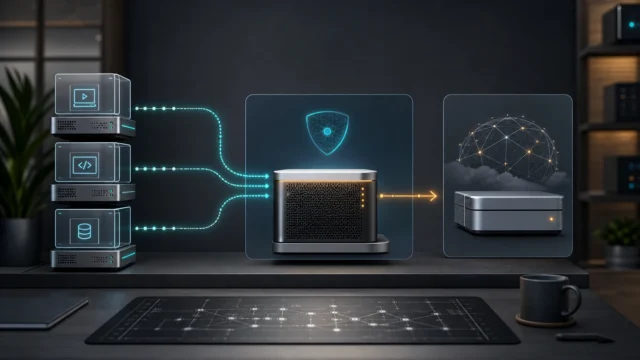
The architecture docs also make clear that Immich is not a single tiny container. It includes the application server, machine learning service, Postgres, and Redis. In other words, when you deploy Immich you are standing up a real service stack, not a toy binary.
That is why I would not rush this part.
Before importing anything, I would want:
- the Compose stack running cleanly;
- the upload location chosen intentionally;
- the database location on proper local storage;
- post-install basics handled, including admin registration and storage-template decisions.
That foundation matters because migrations feel very different when the destination already behaves predictably.
Mobile backup is one path in, but not the only path in
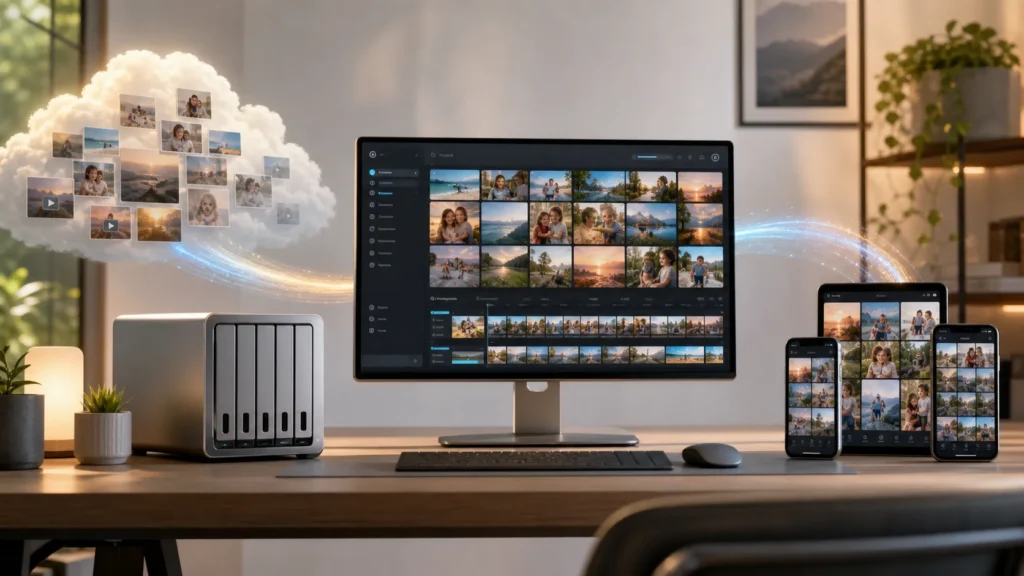
Immich’s mobile-backup documentation shows that the app can automatically upload selected albums from your phone, including background backup behavior. That is important because for new photos going forward, Immich can behave like the kind of always-there photo sink people are used to from cloud services.
But mobile backup solves the future better than it solves the past.
It helps once you are already settled into Immich.
It is not, by itself, the whole migration story from Google Photos.
That is why I think a realistic replacement plan usually has two tracks:
- future photos arrive through the mobile app backup flow;
- older photos come in through uploads, external libraries, or a takeout migration workflow.
Understanding that split makes the platform easier to evaluate honestly.
Upload library versus external library is the most important migration fork
This is the real decision point.
Immich’s documentation supports both a normal upload-based library and external libraries. The external-libraries feature page says these track assets stored outside of Immich on the filesystem, then create corresponding assets that show up in the main timeline like regular items.
That sounds wonderful, and often it is.
But the docs also include very important caveats.
They say:
- an external library belongs to a single user;
- metadata added inside Immich for external assets is stored only inside Immich and may be lost if files are moved in the library;
- duplicate checking is weaker for external libraries;
- album preservation for external libraries does not have an official mechanism.
That is a serious set of tradeoffs.
So I think the decision becomes:
- choose uploads if you want Immich to own the imported library more completely;
- choose an external library if you want to keep existing files where they already live and expose them into Immich with less relocation.
Neither is universally correct.
But they serve different emotional needs.
Uploads feel more like adoption.
External libraries feel more like attachment.
Google Photos migration is partly official and partly ecosystem-driven
This is one of the places where the official docs are helpfully honest.
Immich’s CLI documentation says the CLI can upload photos and videos, but if you are looking to import your Google Photos Takeout, it recommends a community-maintained tool called immich-go.
I actually like that this is stated clearly.
It means the official project is not pretending its own built-in CLI is the whole migration answer for every format and export edge case. Instead, it points to the community tool that currently fills that role better.
That gives you a pretty sane migration ladder:
- get Immich running cleanly;
- decide whether your old library belongs as uploads or an external library;
- if your source is Google Photos Takeout, use the path the official docs themselves recommend for that specific import case;
- let the mobile app own the future once the historical import is done.
That feels much more realistic than assuming one button will perfectly recreate a decade of photo history.
Backup is the part that decides whether Immich can actually replace Google Photos
This is where the romance of self-hosting usually meets adulthood.
Immich’s backup-and-restore docs say a 3-2-1 backup strategy is recommended and are extremely clear that database backups are essential. The docs explicitly state that Immich stores file paths and user metadata in the database and does not scan the library folder by itself, which means backing up only your media files is not enough.
That line changes everything.
If you lose only the database, you do not just lose a few settings. You lose the layer that makes the library behave like your library.
So for Immich to become a genuine Google Photos replacement in a homelab, I think you need to back up:
- the uploaded photos and videos;
- the database;
- any custom locations you introduced;
- and the wider host context needed to recover the service cleanly.
Immich’s post-install and quick-start documentation even point you toward backup planning early, which I think is exactly right. You should not call a self-hosted photo platform “done” until restore thinking exists.
The real question is not whether Immich is good, but whether your migration posture is mature
Immich is impressive because it offers a modern-feeling media experience while still giving you multiple ways to bring data in. The mobile app can handle ongoing backup. External libraries let you expose existing files without fully re-ingesting them. Upload-based libraries let Immich own the data path more completely. The ecosystem even has a recommended takeout path for Google Photos migration.
But none of that means the move should be impulsive.
I think the best version of this migration is gradual:
- stand up Immich properly;
- test a small library first;
- decide how much ownership Immich should have over the files;
- move historical data with the right method for its source;
- confirm backups before emotionally declaring victory.
That sequence is less exciting than “I migrated everything in one night,” but it is much more likely to end well.
Verification note: Commands, terminology, and support details in this guide were cross-checked against Immich’s official installation requirements.
For broader context, continue with Installing Proxmox VE for the First Time: A Practical Guide and The First Homelab Mistakes I Would Never Repeat.
Conclusion
Immich can absolutely become a strong self-hosted alternative to Google Photos, but only if you treat setup, migration, and backup as separate layers of the same project. The official docs make the setup direction straightforward: Docker Compose is the recommended production path, the database belongs on local storage, and post-install configuration matters. The migration direction is more nuanced: future assets flow naturally through mobile backup, while existing libraries can either be uploaded into Immich or mounted as external libraries, each with real tradeoffs. And for Google Photos Takeout specifically, the official CLI documentation recommends a community migration tool rather than pretending the generic path is always enough.
That is why I think Immich becomes believable as a replacement only when the surrounding operational habits are believable too. Not just “the app works,” but “the library can be imported, understood, backed up, and trusted.”
FAQ
Should I migrate my old Google Photos library as uploads or as an external library?
It depends on what you want Immich to own. Uploads are the cleaner long-term Immich-native model, while external libraries are useful if you want to keep files where they already live and expose them into Immich with fewer relocations. The official docs make it clear that external libraries come with metadata and album-related tradeoffs.
Can Immich really replace Google Photos if I only back up the media files?
No. Immich’s official backup docs explicitly say database backups are essential because the database stores file paths and user metadata and the system does not simply rebuild everything by scanning the library folder.