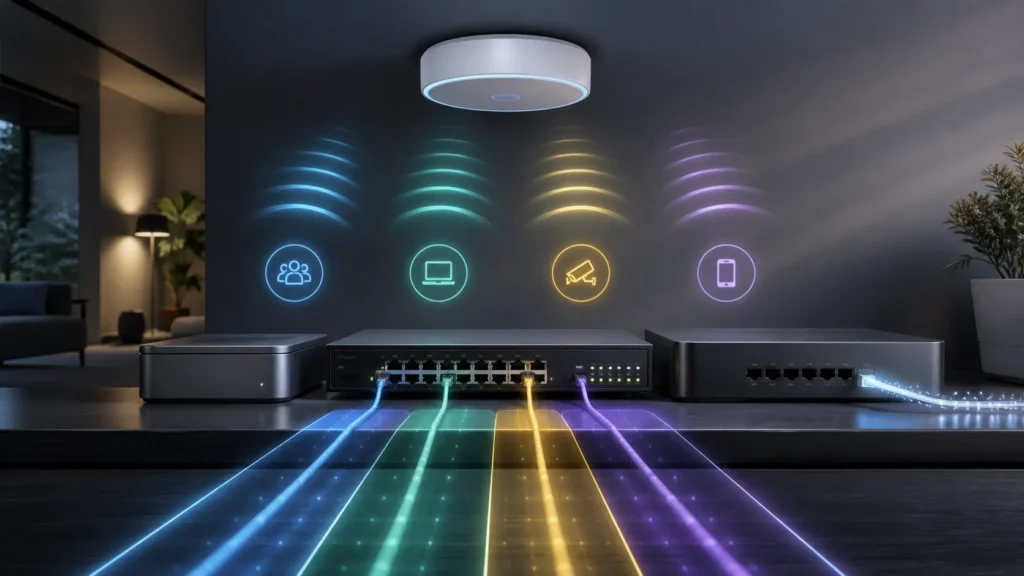
The first time you map multiple SSIDs to specific VLAN IDs, Wi-Fi starts feeling less magical and more honest.
That is a good thing.
A guest network stops being just a different password.
An IoT network stops being just a nice idea.
A work SSID stops being just another name in the air.
Each one becomes a wireless identity that should land on a different policy boundary once it reaches the wired network.
That is the part I think matters most.
Because multi-SSID design is not really about creating several pretty names in the client list. It is about deciding which groups deserve different treatment, then making sure the access point, switch, and gateway all agree on what that treatment is supposed to be.
And once that clicks, the next lesson arrives quickly:
every extra SSID should earn its airtime.
- What SSID-to-VLAN mapping actually means in practice
- Why the AP uplink must be designed as carefully as the SSIDs themselves
- How management VLANs and client VLANs are easy to confuse
- Why too many SSIDs quietly damage wireless quality
- How I decide which wireless identities deserve their own VLANs
Mapping an SSID to a VLAN is the moment wireless joins the segmentation plan
Meraki’s own documentation states this very clearly: when VLAN tagging is configured per SSID, client traffic associated to that SSID is tagged with the configured VLAN ID. UniFi’s documentation says essentially the same thing in its own ecosystem: WiFi SSIDs can be assigned VLANs so connected clients become members of the corresponding VLAN.
That is the heart of the design.
An SSID is not just a name.
It is a promise about where that traffic belongs after it leaves the air.
So when I create:
- a guest SSID;
- an IoT SSID;
- a trusted internal SSID;
I do not just want different credentials.
I want different policy domains.
That means the guest wireless network should land on the guest VLAN.
The IoT SSID should land on the IoT VLAN.
The trusted internal SSID should land where trusted devices actually belong.
If the names are different but the traffic all falls into the same flat network, then much of the value was theatrical.
The AP uplink is where clean wireless design meets clean switch design
This is the part beginners often underestimate.
The access point cannot magically invent wired segmentation by itself.
If multiple SSIDs are mapped to multiple VLAN IDs, the AP uplink has to carry that design properly toward the switch and gateway.
In practice, that usually means:
- the AP uplink lives on a managed switch, not an unmanaged one;
- the switch port facing the AP is configured to carry the required VLANs;
- the gateway or firewall knows how to terminate or route those VLANs;
- DHCP, DNS, and firewall policy exist on the right side of each segment.
This is where the article about the difference between unmanaged and managed switches stops being academic. The moment one AP needs several VLANs on one uplink, the switch has to become part of the segmentation story.
And once the traffic reaches the firewall, something like pfSense can assign each VLAN as an interface and treat it with its own policy. Netgate’s documentation on VLAN configuration is very explicit about that flow: create the VLAN, assign it as an interface, then configure it as any other interface.
That is why good multi-SSID design is never just a wireless topic.
It is a whole path topic.
Management VLANs and client VLANs are not the same job
This is one of the easiest places to get confused.
Meraki’s documentation has a separate guide for management VLANs on access points, and I think that separation is conceptually helpful even if you do not use Meraki gear. The VLAN that the AP itself uses for management is not automatically the same thing as the VLANs carried for clients on different SSIDs.
Those are different questions:
- where does the AP itself live;
- where do wireless clients from each SSID belong.
If those two ideas blur together, troubleshooting gets messy fast.
I want the access point’s own management identity to be deliberate and boring.
Then I want the SSID-to-VLAN mapping for clients to be equally deliberate.
When both are clear, the design feels stable.
When they are muddled, the network starts behaving like a diagram built from half-remembered assumptions.
This is also why I still care a lot about native and untagged behavior around trunks. If the AP, switch, and firewall disagree about which traffic is tagged, which traffic is management, or which VLAN is expected to remain untagged, the whole setup can become strangely fragile. That is part of the reason I still like reinforcing the idea behind why default VLAN 1 should not just remain the background assumption.
Too many SSIDs are a wireless tax you keep paying
This is the lesson people usually learn after the fun part.
Meraki’s multi-SSID deployment guidance recommends no more than three SSIDs on a single access point. I think that recommendation captures something people underestimate when they first start segmenting Wi-Fi: every new SSID is not free.
It costs airtime.
It adds wireless overhead.
It increases operational clutter.
And sometimes it exists mainly because the admin enjoyed the idea more than the clients benefited from it.
That does not mean multi-SSID design is bad.
It means we should be economical with it.
If three different groups truly need different security posture or policy, fine.
If six SSIDs exist because the house has one network for phones, one for tablets, one for laptops, one for TVs, one for thermostats, and one for “future things,” then the design may be serving the controller more than the household.
I think the right instinct is restraint.
My default model is fewer SSIDs, clearer boundaries
When I think about a sane home or small-lab wireless design, I usually want something like this:
- one trusted internal SSID;
- one guest SSID;
- one IoT-style SSID if the environment really benefits from it.
That is often enough.
Those SSIDs can map to distinct VLAN IDs, and once they reach the firewall, each VLAN can get its own rules and services. That gives you meaningful segmentation without filling the air with identities no one truly needed.
This lines up naturally with the broader trust-boundary logic in VLANs and pfSense at home. The point is not to prove that the AP can broadcast many names. The point is to ensure that the wireless groups that truly deserve different treatment receive different treatment all the way through the network.
What I would check first when it feels broken
When multi-SSID VLAN designs misbehave, I usually stop blaming “Wi-Fi” in the abstract and ask simpler questions.
I check:
- does each SSID really map to the VLAN ID I think it maps to;
- does the AP uplink port allow those VLANs;
- is AP management traffic using the intended network;
- does the firewall have the VLAN interfaces assigned and active;
- do the DHCP and rules actually exist for each VLAN;
- did I create more SSIDs than the design really needed.
That last question matters more than people like to admit.
Sometimes the problem is not a missing rule.
Sometimes the problem is that the design became noisy enough to be harder to understand than the need ever justified.
Verification note: Commands, terminology, and support details in this guide were cross-checked against OpenWrt’s Wi-Fi VLAN documentation.
For broader context, continue with What I Wish I Knew Before My First VLAN and Home Assistant on an IoT VLAN: Safe Network Rules Without Breaking Discovery.
Conclusion
Managing multi-SSID Wi-Fi networks mapped to specific VLAN IDs is really about carrying one segmentation idea consistently from the access point into the switch and then into the gateway or firewall. Vendor documentation from Meraki and UniFi makes the client side clear: SSIDs can map to VLANs and client traffic is tagged accordingly. Netgate documentation completes the wired side by showing how those VLANs can become distinct interfaces with their own policy once they reach the firewall.
The harder part is discipline. Keep the uplink clean. Keep management identity separate from client identity. Keep the number of SSIDs low enough that each one still earns its existence. When that restraint is present, multi-SSID Wi-Fi becomes one of the cleanest ways to extend network segmentation into the wireless side of a home or small-lab design.
FAQ
Do I need a managed switch for multiple SSIDs mapped to VLANs?
Usually yes. Once a single access point needs to carry several VLANs over one wired uplink, the switch port facing that AP must understand and pass those VLANs correctly. That makes managed switching part of the design in practice.
Should every VLAN get its own SSID?
Not necessarily. If several groups can share the same wireless identity and still be separated later by a more advanced method, that may be cleaner. Even when using straightforward per-SSID VLAN mapping, I think the better approach is to keep SSIDs few and meaningful rather than creating a new one for every category of device you can imagine.