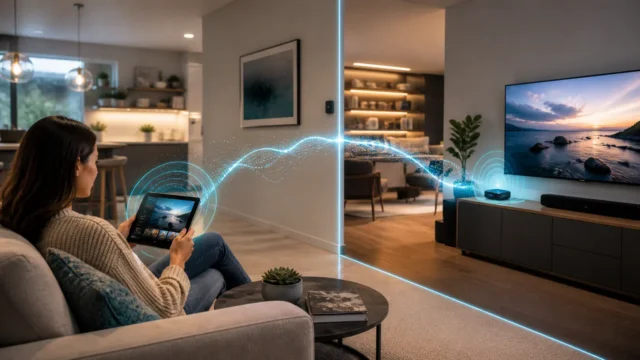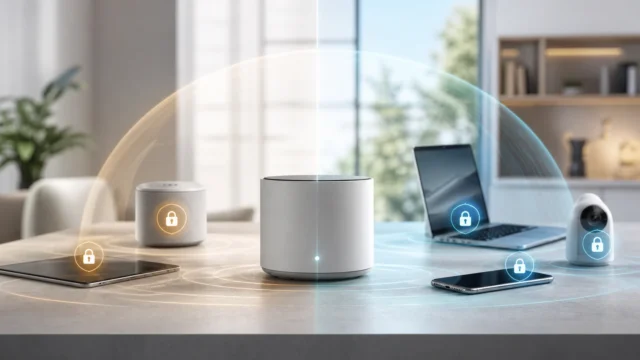
For a long time, I assumed that a Wi-Fi network was a kind of social contract.
If devices joined the same SSID, then of course they were in the same little neighborhood. They would see each other, discover each other, and talk to each other unless some larger firewall rule got in the way. That felt normal because it was familiar.
What took me longer to question was whether that behavior was actually desirable.
A guest phone does not need to browse another guest laptop.
An IoT plug does not need to discover every other device on the same wireless segment.
A hotel-style or visitor-style Wi-Fi certainly does not become safer merely because everyone shares a password and lands on the same network name.
That was the shift that made wireless isolation click for me.
It is not mainly about making Wi-Fi more complicated.
It is about asking a cleaner question:
should these clients really be allowed to talk directly to one another just because they happen to be on the same wireless network?
- What wireless isolation actually does
- Why guest and IoT Wi-Fi are where it makes the most sense
- How client isolation differs from VLAN or firewall isolation
- Why vendor behavior is similar in spirit but not always identical
- What breaks when isolation is enabled
- How I decide when to use it and when not to
- What I think the clean mental model should be
The protocol and configuration baseline below is checked against Cisco Meraki's technical documentation; the topology and risk recommendations are my practical interpretation.
Wireless isolation is a trust-reduction feature, not a Wi-Fi trick
Cisco Meraki’s current documentation describes wireless client isolation in the plainest useful way: it prevents wireless clients from communicating with one another. That single sentence gets to the heart of the feature better than most marketing language ever does.
Wireless isolation does not make the Wi-Fi faster.
It does not magically segment the whole network.
It does not replace policy.
What it does is smaller and more important:
it removes unnecessary peer-to-peer communication between wireless clients.
That matters because shared Wi-Fi often contains devices that have no real reason to trust each other. The more I thought about that, the stranger the default open-peer model started to feel. If two devices happen to land on the same SSID, that does not automatically mean they should be allowed to probe, discover, or initiate traffic to each other freely.
Wireless isolation is one of the cleanest ways to say no to that assumption.
Guest Wi-Fi is the easiest place to understand the value
If I had to explain wireless isolation to someone with one example only, I would start with guest Wi-Fi.
Ubiquiti’s current guest Wi-Fi guidance is explicit about the goal: guest devices should not be able to communicate with one another or access other VLANs inside the environment. Their guide recommends enabling network isolation for the guest network, enabling client device isolation on the Wi-Fi, and completing isolation with switch-level device isolation where appropriate.
That is a very healthy framing.
The real point of guest Wi-Fi is not merely to give internet access through a different SSID. It is to offer controlled connectivity without extending unnecessary local trust. If several unknown or semi-trusted devices share the same guest network, there is very little benefit in letting them behave like neighbors.
That is why wireless isolation feels so natural there.
It aligns the behavior of the network with the social meaning of the network.
IoT Wi-Fi often benefits from the same idea
The next place this started making emotional sense to me was low-trust device networks.
Many people already separate smart-home gear, cameras, speakers, and appliances because they do not want them living freely beside laptops, phones, and management interfaces. That instinct usually leads toward VLANs, firewall rules, or at least dedicated SSIDs.
But even inside a low-trust Wi-Fi segment, there is still a second question:
do these wireless clients need to talk to each other directly?
Sometimes they do.
Often they do not.
This is why I see wireless isolation as a useful complement to broader segmentation, not as a substitute for it. If the SSID is already meant to hold devices with limited trust, reducing peer-to-peer communication inside that same wireless space can make the design feel more honest.
That said, honesty also means acknowledging tradeoffs. Some smart-home setups, casting flows, local controllers, or discovery-heavy devices may behave badly when direct client communication disappears.
The point is not to isolate everything by reflex.
The point is to isolate the things that do not benefit from easy lateral reachability.
Wireless isolation is not the same thing as VLAN isolation
This distinction is where a lot of confusion begins.
Wireless isolation is about what clients on the wireless side can do to one another.
VLAN and firewall isolation are about broader traffic boundaries across networks, segments, and routed policy.
Ubiquiti’s current documentation explains this difference well by separating:
- L3 network isolation between VLANs;
- client device isolation within the same VLAN or Wi-Fi context;
- ACL-based controls at the switch or gateway level.
That separation matters because it prevents the most common mistake:
treating client isolation like a complete security architecture.
It is not.
It helps with one specific kind of trust reduction:
- wireless client to wireless client communication;
- sometimes within the same AP;
- sometimes across the same SSID or VLAN, depending on platform behavior;
- often without solving the full wired-access or inter-network question by itself.
That is why I still think in layers.
If the network meaningfully needs to protect internal devices from guests or IoT, I still want routing policy, firewall boundaries, or VLAN design doing the heavy structural work. Wireless isolation is the local refinement, not the whole building.
That is the same mindset that shaped how I learned to think about VLANs as trust boundaries instead of magic containers.
The feature name is familiar, but behavior varies by platform
This is the nuance I think people most need to hear early.
Different vendors talk about this idea using terms like:
- wireless client isolation;
- client device isolation;
- AP isolation;
- layer 2 LAN isolation;
- guest isolation.
The family resemblance is real, but the exact behavior is not always identical.
Meraki’s current documentation explains that in bridge mode, isolated clients are allowed to communicate with the default gateway but not with other devices on the same VLAN or broadcast domain, and that traffic to other VLANs can still be routed normally upstream. Meraki also notes that in NAT mode, client isolation is enabled by default and wireless clients cannot use layer 2 discovery protocols to find other devices on either the wired or wireless network.
UniFi’s documentation, by contrast, explicitly describes client isolation as blocking communication within a single access point, while recommending additional network isolation and ACL settings to complete the broader guest-security picture.
TP-Link’s AP isolation documentation also frames the feature as isolating clients in the same wireless network from one another, with the option disabled by default in the cited product family.
The safest general takeaway is this:
do not assume every checkbox with the word "isolation" enforces the same exact boundary.
Always ask:
- does it isolate only wireless clients from each other?
- does it apply only on the same AP, or across the SSID more broadly?
- can isolated clients still reach wired LAN resources?
- does the feature depend on DHCP, guest mode, NAT mode, or other platform-specific behavior?
Once I started asking those questions, the feature became much less mystical and much more trustworthy.
Discovery, printing, and casting are often the first things to break
This is not a bug in the philosophical sense.
It is often the feature working exactly as intended.
Meraki’s documentation notes several consequences clearly:
- isolated clients may only reach the default gateway in some modes;
- layer 2 discovery protocols can stop working;
- statically addressed clients may behave badly in implementations that rely on DHCP awareness;
- Bonjour behavior may need explicit exceptions or forwarding support.
That matches the practical reality many people hit first:
- printers disappear;
- AirPlay or Chromecast gets weird;
- local discovery stops feeling automatic;
- same-subnet devices no longer behave like "neighbors."
This is why I think wireless isolation should be treated as a design choice, not a default checkbox to enable everywhere blindly.
If a Wi-Fi network is meant for guests, that breakage is often fine or even desirable.
If the network is meant for collaborative devices, casting, shared printers, or local discovery-heavy workflows, isolation may create more confusion than safety.
If a workflow depends on peer discovery, broadcast, multicast, Bonjour, AirPlay, or casual same-subnet visibility, wireless isolation may interrupt that behavior unless the platform provides explicit exceptions or forwarding support.
Where I think it fits best
I now think wireless isolation fits best in places where convenience should not imply trust.
That usually includes:
- guest SSIDs;
- visitor Wi-Fi;
- low-trust temporary networks;
- some IoT Wi-Fi segments;
- apartment, office, hospitality, or shared-user environments.
I am much more cautious with it on Wi-Fi networks used for:
- home printing;
- device discovery;
- wireless casting;
- peer-to-peer collaboration;
- local service access patterns that depend on broadcast or multicast behavior.
That is also why I try to separate "private home Wi-Fi" from "public-ish convenience Wi-Fi" more deliberately now. Not every SSID exists for the same social purpose, so not every SSID deserves the same peer behavior.
The cleanest mental model is layered, not magical
If I had to compress the whole topic into one practical framework, it would look like this:
- wireless isolation reduces device-to-device trust on the wireless segment;
- VLANs and routing boundaries reduce trust between networks;
- firewall rules and ACLs decide what should still be allowed afterward;
- platform behavior determines how complete the isolation really is.
That is why I no longer think of wireless isolation as a "guest Wi-Fi extra."
I think of it as a very specific local control that belongs inside a larger segmentation story.
If I only use isolation and skip the rest, I may still have a network that is confusingly reachable in other directions.
If I only use VLANs and skip local client controls, I may still be allowing more peer-to-peer exposure inside the segment than I intended.
The calmer answer is usually both:
structural boundaries where they matter, and local client isolation where peer trust is unnecessary.
That logic also pairs naturally with keeping one honest policy control point in the network. Good wireless behavior is easier to trust when the larger routing and access story is equally intentional.
Conclusion
Wireless isolation is one of the most useful small security features in Wi-Fi design because it challenges a bad default assumption: that devices sharing one SSID should automatically be able to talk to each other freely. For guest and low-trust wireless networks, that assumption is often unnecessary at best and risky at worst.
The important nuance is that isolation is not the same thing as full segmentation. Vendor implementations vary, discovery-heavy workflows can break, and broader protection still depends on VLANs, ACLs, and firewall policy where appropriate.
That is the frame that finally made the feature feel mature to me. Not a checkbox for "more security," but a deliberate answer to one clean question:
do these devices really need to trust each other just because they share the same Wi-Fi?
FAQ
What does wireless isolation do?
It prevents or restricts direct communication between wireless clients on the same Wi-Fi network, depending on how the specific vendor implements the feature.
Is wireless isolation the same as a guest VLAN?
No. Wireless isolation reduces peer-to-peer communication among clients on the wireless segment. A guest VLAN or routed guest network creates a broader network boundary and usually needs firewall or ACL policy as well.
Will wireless isolation break printing or casting?
It can. Many local-discovery workflows depend on broadcast, multicast, Bonjour, or peer visibility that isolation may interrupt unless the platform offers explicit exceptions or forwarding support.
Should I use wireless isolation for IoT devices?
Often yes, if the devices do not need to communicate directly with each other and the platform behavior matches your design. But it should be tested carefully because some smart-home workflows depend on local discovery or controller reachability.
Does wireless isolation protect wired devices too?
Not necessarily. Some implementations focus mainly on wireless client-to-client communication, while others handle broader same-VLAN behavior differently. That is why vendor-specific behavior and additional network policy still matter.