For a long time, old routers occupied an awkward emotional category for me.
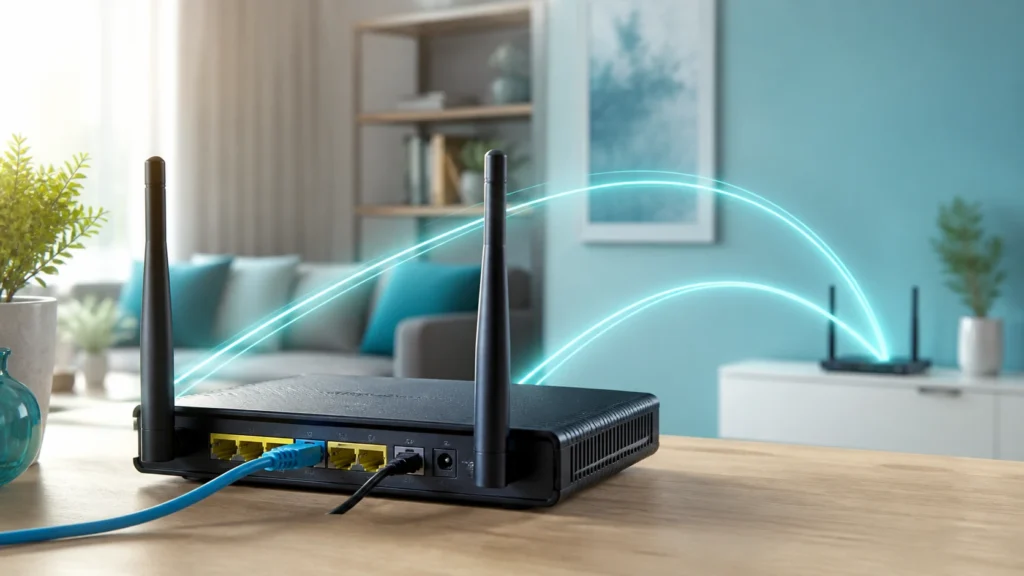
They felt too capable to throw away, too common to respect, and too confusing to reuse cleanly once a newer main router had taken over. I knew they could still do something useful. I just did not always know what that useful thing should be.
That uncertainty created one of the most common home-network mistakes: treating an old router like a second full router simply because it still has router hardware inside it.
I understand the temptation. It has Ethernet ports. It has Wi-Fi. It has an admin page. It still boots. The word "router" is printed on the box. Of course the instinct is to use it as more router.
But most of the time, that is exactly the wrong instinct.
What finally made this simpler for me was learning to separate two very different jobs people often blur together:
- extending Wi-Fi coverage onto the same existing network;
- connecting a distant device or small wired cluster back to the main network without running fresh Ethernet.
Those jobs sound adjacent, but they are not the same thing. The first job is usually access point territory. The second is where some form of bridge or media bridge mode becomes relevant.
Once I understood that difference, old routers stopped feeling like leftover hardware and started feeling like tools with narrower, more honest roles.
- Why reusing an old router as a second router usually makes the network worse
- What access point mode is really doing
- What bridge mode usually means on consumer gear
- Why I choose AP mode most of the time
- When bridge mode is actually the right answer
- How I think about setup, addressing, and placement now
- What I would avoid if I were starting over
The protocol and configuration baseline below is checked against ASUS's official support guide; the topology and risk recommendations are my practical interpretation.
The mistake I understand too well is adding another router when I only needed more coverage
One of the easiest ways to make a home network feel mysterious is to introduce a second layer of routing by accident.
That usually happens when someone takes an old router, plugs its WAN port into the main network, leaves DHCP enabled, leaves NAT enabled, and assumes the result is just "more Wi-Fi." In reality, the old device may begin creating its own little world behind itself:
- a second subnet;
- a second DHCP server;
- another NAT boundary;
- another firewall policy surface;
- another place where local discovery can break;
- another reason printers, media devices, admin pages, and shares stop behaving intuitively.
This is one of those setups that can appear to work just enough to be misleading. The internet may still load. A few devices may still connect. But the network becomes harder to reason about, and "it works" starts depending on where a device joined, which subnet it landed in, and which direction the traffic is trying to move.
That same sense of invisible structure confusion is exactly why I keep returning to clear fundamentals like addressing and DHCP discipline. A network gets calmer when fewer devices try to act like the authority.
Most of the time, an old router should not become a second authority.
It should become a helper.
Access point mode is the cleaner answer when the goal is just more Wi-Fi
The simplest way I think about access point mode is this:
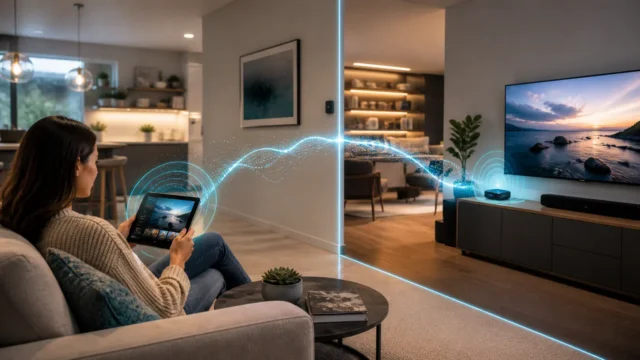
it turns an old router into a device that extends wireless coverage onto the same existing network instead of creating a new routed network behind itself.
That difference is everything.
Official vendor documentation is surprisingly helpful here. ASUS describes access point mode as connecting the router to the main router through Ethernet in order to extend wireless coverage, with routing-oriented functions such as firewalling, IP sharing, and NAT disabled by default. TP-Link documentation frames AP mode similarly: the old router becomes a wireless access point fed by a wired connection instead of acting as the network gateway itself.
That is the version I trust most.
When I use an old router as an access point, I want these things to remain true:
- the main router or firewall stays the real gateway;
- the main router remains the DHCP authority;
- clients stay on the same logical network unless I am intentionally using VLAN-aware infrastructure;
- the reused device focuses on Wi-Fi and local switching, not on inventing a second network personality.
That is why AP mode feels cleaner than "router mode, but sort of not really."
On devices that have a real operation-mode toggle, access point mode usually strips away the features that only make sense when the box is acting as the main router. On devices that do not expose a formal AP mode, the manual equivalent is often to disable DHCP, avoid the WAN port, connect LAN-to-LAN, and let the primary router remain in charge. Even when the interface still looks like router firmware, the goal is to stop using it like one.
Bridge mode sounds similar, but it usually solves a different problem
This is where terminology starts becoming slippery.
"Bridge mode" is one of those phrases that vendors do not always use in exactly the same way. On some devices, especially ISP gateways, it can mean something closer to pass-through behavior that disables routing and hands responsibility upstream. On consumer Wi-Fi gear, bridge-style modes more often describe a device joining the main network wirelessly and then bridging that connectivity to something else.
ASUS, for example, documents a "Media Bridge" mode in which one router connects wirelessly back to another router and then serves downstream Ethernet devices. That is not the same job as wired access point mode.
That distinction mattered a lot once it finally clicked for me.
If AP mode answers:
"How do I extend Wi-Fi into this area when I already have an Ethernet path there?"
then bridge mode more often answers:
"How do I get network access to devices in this area when I cannot run Ethernet back to the main router, but I can still link wirelessly?"
Those are both useful jobs. They just produce different tradeoffs.
Bridge mode often means the uplink itself is wireless. That can be practical, but it also means the reused device is no longer simply broadcasting Wi-Fi from a stable wired backhaul. It is depending on wireless connectivity for its upstream path, which may affect throughput, latency, stability, and placement options.
That is why I do not treat bridge mode as my default reuse strategy.
I treat it as my fallback when the cabling story says I need it.
Why I choose AP mode first whenever I can
My bias is simple: if I can run Ethernet to the place that needs better coverage, I would rather reuse the old router as an access point than as a bridge.
There are a few reasons for that.
It keeps the topology more legible
The main router routes.
The access point provides Wi-Fi.
The network stays one coherent story.
That clarity matters more than it sounds. It keeps troubleshooting grounded. When a device has a weird address, a lease issue, or a DNS problem, I know where authority should live. That mindset also pairs naturally with how I think about boundaries and segmentation: clarity comes from devices doing the jobs they are actually meant to do.
Wired backhaul usually ages better than clever wireless workarounds
Wireless bridging can absolutely be useful, but it is often a compromise. A wired AP has a simpler uplink story and fewer moving parts that depend on signal quality between infrastructure devices.
In other words, if the goal is calm Wi-Fi, Ethernet is still the least dramatic friend in the room.
It avoids accidental feature assumptions
TP-Link’s own AP mode guidance makes something important clear: when a router shifts into access point mode, some router-specific features disappear or no longer behave the same way. That is actually healthy. It reduces the chance that I keep expecting firewall, NAT, or WAN-specific behavior from a box that is no longer supposed to own those responsibilities.
I would rather have a simpler, more honest device than a half-router pretending to stay in charge.
It makes old hardware more useful for longer
A lot of older routers are still perfectly adequate as access points even after they no longer make sense as primary routers. The Wi-Fi standards may not be cutting edge, the CPU may not be special, and the firmware may not deserve gateway duty anymore, but as extra coverage for a guest room, workshop, office corner, or media area, the device can still have a graceful second life.
I like hardware more when it gets a dignified smaller job instead of a strained bigger one.
That distinction matters when an extra SSID is meant for guests or IoT gear. AP mode extends coverage, but it does not prove that wireless clients are kept apart; that requires an intentional wireless-isolation policy backed by the right firewall rules.
When bridge mode actually earns its place
All that said, I do not think bridge mode is a gimmick. I think it becomes genuinely useful when the physical layout refuses to cooperate.
If I cannot run Ethernet to a room, but I need to connect a few wired devices there, a bridge-style mode can be extremely practical. A TV area, game console cluster, printer corner, or temporary office can all benefit from a device that joins the main network wirelessly and hands connectivity to local Ethernet clients.
That is the important distinction:
bridge mode is often less about extending wireless service to lots of new Wi-Fi clients and more about carrying the existing network relationship across a wireless uplink.
Sometimes that role overlaps with repeater or extender behavior, depending on the vendor and hardware. That is another reason I try not to memorize the marketing names too literally. I care more about the actual traffic story:
- Is the upstream wired or wireless?
- Is this device routing or merely passing/bridging traffic?
- Is the main gateway still the real gateway?
- Are downstream clients joining the same network or a separate routed one?
If I can answer those four questions cleanly, the vendor label matters much less.
The practical setup logic I follow now
I do not think reusing an old router needs to become a ceremonial networking project. The main value comes from a few calm decisions.
If I am building a wired access point
This is the pattern I trust first:
- place the old router where Ethernet backhaul is available;
- enable real AP mode if the firmware supports it;
- if not, disable DHCP and avoid using the WAN port;
- connect the old device LAN-to-LAN with the main network;
- give the device a predictable management address, ideally through the main DHCP server or a clearly documented static assignment outside the live pool;
- set Wi-Fi names and passwords intentionally, depending on whether I want a seamless-feeling roaming experience or explicit distinction.
That addressing point matters more than many people expect. A reused access point is still infrastructure, and infrastructure becomes much easier to live with when it has a stable, readable identity. That is part of why I remain fond of reservations for fixed-support devices like APs and small service boxes.
If I am using bridge mode
Then I treat placement as part of the configuration.
The device has to be close enough to the main network source to maintain a healthy uplink, but also close enough to the destination area to be useful. That balance can be awkward, because the bridge is no longer only about Wi-Fi coverage. It is about infrastructure-to-infrastructure signal quality.
This is one reason bridge mode often feels more situational to me than AP mode. It solves a real problem, but it does so with tighter environmental constraints.
What I would avoid now
If I were helping someone reuse an old router for the first time, these are the mistakes I would try hardest to prevent:
- leaving DHCP enabled on the old router when it is meant to be only an AP;
- plugging the uplink into the WAN port out of habit when the goal is same-network LAN extension;
- assuming "guest" or extra SSIDs behave identically in AP mode across vendors;
- expecting bridge mode to behave like a wired AP with the same stability profile;
- using whatever default management IP the old router happened to ship with and then forgetting where it lives;
- confusing "more Wi-Fi" with "more routing."
That last one is the entire article in miniature.
Most of the time, I do not need another router. I need the existing network to reach farther without becoming conceptually heavier.
If the main network already has a proper router or firewall, an old router’s best second life is often as a wired access point, not as another gateway trying to make independent decisions.
How I think about old routers now
I no longer see old routers as failed primary routers. I see them as hardware that may still be excellent at a narrower job.
That change in perspective helped me a lot. It reduced waste, simplified expansion, and made the network feel less like a pile of overlapping features. An access point is a very respectable thing to be. A bridge is a very useful thing to be. Problems begin when I ask a box to be both infrastructure support and second command center at the same time.
So when I look at an old router now, I ask a simpler question than I used to:
Do I need more Wi-Fi coverage on the same network through Ethernet?
Or do I need to bridge connectivity into a place where cabling is not practical?
If the answer is the first, I want AP mode.
If the answer is the second, I start thinking about bridge mode.
That split is what made the whole topic finally feel clean.
The same boundary becomes clearer alongside Why OpenWrt Made Me Respect Cheap Routers More Than I Expected and Powerline Adapters vs. MoCA: Retrofitting Ethernet Over Existing Coax Cables, because these choices affect where traffic, policy, and trust meet.
Conclusion
Bridge mode and access point mode are not rival buzzwords for the same job. They solve different physical and architectural problems. Access point mode is usually the better choice when an old router can reach the main network over Ethernet and the goal is simply to extend Wi-Fi without creating another routing boundary. Bridge mode becomes useful when the old device must rely on a wireless uplink and then serve downstream devices from that position.
For me, the big lesson was not merely technical. It was emotional. I stopped trying to make every old router continue being a router. Once I let old hardware take on a smaller, clearer role, the network became easier to trust.
FAQ
Can I use an old router as an access point without a dedicated AP mode?
Usually, yes. On many consumer routers, the practical fallback is to disable DHCP, avoid using the WAN port, connect the device LAN-to-LAN to the main network, and let the primary router remain the gateway. A built-in AP mode is cleaner, but the core idea is the same.
Is bridge mode the same thing as repeater mode?
Not always. Vendors use these labels inconsistently. In many cases, bridge-style modes focus on joining the main network wirelessly and passing connectivity to downstream devices, while repeater modes focus more on extending wireless coverage itself. The exact behavior depends on the device and firmware.
Why does double NAT happen so easily with old routers?
Because people often plug the old router’s WAN port into the main network and leave it in ordinary router mode. That creates a second routed boundary behind the old device instead of extending the original network cleanly.
Should an access point have its own DHCP server?
Usually no, if the goal is to keep everything on the same main home network. In that scenario, the primary router or firewall should normally remain the DHCP authority.
When would I prefer bridge mode over AP mode?
When I cannot run Ethernet to the area that needs connectivity, but I can still maintain a solid wireless link back to the main network and need to feed a few clients from that location.