For a long time, I treated Wi-Fi access like hospitality and nothing more.
If a friend came over and needed internet, I gave them the password.
If family visited, I gave them the password.
If someone stayed for a weekend, I gave them the password and never thought twice about it.
That felt generous and normal, which is exactly why I did not question it.
What eventually changed for me was realizing that sharing the main Wi-Fi was not only sharing internet access. It was often sharing local visibility too. And in a home where a NAS exists, where printers exist, where streaming devices exist, where management interfaces exist, that visibility is not always something I actually intend to offer.
I did not need my guests to browse my file shares.
I did not need their devices discovering my local storage.
I definitely did not need my private network password living forever in five other phones after the visit ended.
That is where guest networks stopped sounding like a “nice extra” and started feeling like basic network manners.
- Why a guest network matters more than people think
- What it usually protects and what it does not always protect
- Why a NAS is the clearest example of why the main Wi-Fi should stay private
- How guest isolation differs across platforms
- What can break when guest access is intentionally restricted
- How I think about guest Wi-Fi now in a normal home
The protocol and configuration baseline below is checked against NIST's home IoT network-security guidance; the topology and risk recommendations are my practical interpretation.
The simplest reason for a guest network is that visitors usually need internet, not your local trust
This is the core idea that finally made the whole topic feel obvious to me.
Most guests need one thing:
internet access.
They do not need:
- your NAS shares;
- your local printer;
- your admin interfaces;
- your smart-home control plane;
- your other wireless devices;
- or your main network password stored indefinitely on their devices.
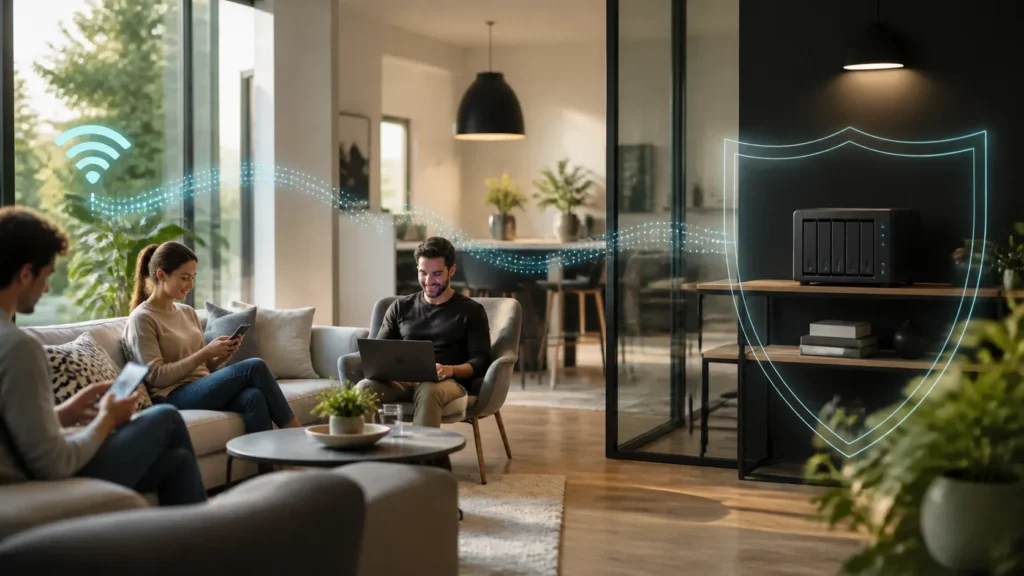
That distinction is small but important. A guest network is not mainly about paranoia. It is about giving people the access they actually need without casually including everything else.
Once I thought about it that way, guest Wi-Fi stopped feeling formal. It felt polite.
A NAS makes the whole issue easier to understand
There are many local devices I do not necessarily want exposed to the casual orbit of every visiting phone or laptop, but a NAS is the clearest example because it turns the abstract problem into a very real one.
A NAS is not just another gadget on the shelf.
It is usually where important things live:
- backups;
- documents;
- media libraries;
- old photos;
- private shares;
- sometimes surveillance footage;
- sometimes the administrative tools of the rest of the homelab.
Even when access control on the NAS itself is strong, I still do not love the idea of unnecessary local visibility. I would rather guests never land on the same local path in the first place unless there is a specific reason they should.
That is one reason I increasingly think of guest Wi-Fi as a boundary of dignity, not just security. The cleanest protection is often not forcing a resource to defend itself against traffic it should never have received.
Official guest-network guidance keeps pointing toward the same idea: internet-only access is the goal
Cisco Meraki’s documentation says the desired result very plainly: one SSID for internal users and a second SSID that provides internet-only access to guests with minimal administrative overhead. Their simple guest-network guide then pairs that with NAT mode and a rule that denies wireless clients from accessing the LAN.
That pairing matters a lot.
It shows that guest networking is not only about a second name and password. It is about a different access policy.
Meraki’s separate "Deny Local LAN" documentation makes this even more explicit. It says the feature blocks access from wireless clients on specific SSIDs to the local LAN, including wired and wireless devices in the same subnet, while still allowing internet access. That is exactly the behavior most home users mean when they say, in plain language, “I want people online, but not inside my stuff.”
That is also why the NAS example works so well.
It turns a vague security instinct into one very concrete question:
should guest devices be able to reach a private file server on the home LAN?
Most of the time, the honest answer is no.
Guest Wi-Fi is related to wireless isolation, but it is not identical to it
This is where some confusion usually begins.
The article I wrote earlier on home IoT VLAN isolation lives right next to this topic for a reason. The ideas are close, but they are not the same thing.
Guest Wi-Fi usually means:
- a separate SSID;
- a separate access policy;
- often some kind of restriction against reaching the main LAN;
- sometimes extra isolation between guest clients themselves.
Wireless isolation usually means:
- restricting peer-to-peer communication between wireless clients;
- sometimes only within the same AP or the same SSID;
- not automatically solving all LAN-access questions by itself.
Ubiquiti’s current UniFi isolation guidance is especially useful here. It separates three things:
- gateway segmentation between VLANs;
- ACL-based device isolation;
- AP-side client isolation.
That structure is healthy because it prevents people from assuming that one toggle does everything. A guest SSID may need:
- blocked access to the main LAN;
- blocked communication between guest clients;
- or both.
The exact combination depends on the platform and what kind of experience you want.
Vendor behavior varies more than many people realize
This is one of the most important truths in the whole subject.
The concept is stable.
The implementation is not always identical.
Meraki’s guest-network model can use NAT mode with isolated addressing and a deny-LAN firewall policy. UniFi distinguishes clearly between network isolation and client isolation as separate tools. ASUS documents an "Access Intranet" option for guest networks, where disabling access prevents guest devices from reaching the internal network. TP-Link’s Deco documentation says that in router mode the guest and main networks are automatically isolated, while in AP mode there is an "Allow Local Access" control that determines whether guest devices can reach local resources.
That last detail is especially important because it reflects one of the easiest mistakes people make at home:
they assume “guest network” means the same isolation behavior regardless of whether the equipment is routing or only acting as an access point.
It does not always mean that.
This is why I no longer trust the label alone. I want to know:
- can guests reach the main LAN?
- can guests reach other guest devices?
- does this behavior change in AP mode versus router mode?
- is the policy enforced by the gateway, the AP, or both?
Once those questions become normal, the guest network stops being a mystery feature and starts becoming a deliberate trust boundary.
A guest network is also a password boundary, not just a traffic boundary
This part matters socially as much as technically.
When I share the main Wi-Fi password, I am not only giving someone temporary access today. I am often placing a long-lived credential onto devices I do not control. Maybe that is fine. Maybe it is family. Maybe it is a close friend. But the point is that the main password tends to linger.
A guest network makes that less awkward.
I can:
- keep the main SSID private;
- rotate the guest password more casually;
- share internet access without mentally sharing the whole house;
- avoid rekeying my real network every time I want to clean up old visitor access.
Google Fiber’s guest-network setup guidance is very simple, but I actually like that. It reflects the fact that guest access should not be a dramatic event. It should be easy to create, easy to rename, easy to rotate, and easy to separate from the main network identity.
What can break when guests are kept away from local devices
This is where the good kind of honesty matters.
Restricting local access can break things that depend on local discovery or local sharing. In many homes, that may include:
- wireless printing for guests;
- casting to a local media device;
- reaching a local file share on purpose;
- setup flows for devices that expect to find something on the main LAN.
That is not usually a flaw.
It is the policy doing what you asked it to do.
Meraki’s "Deny Local LAN" documentation explicitly notes that if clients on a guest SSID need access to a specific internal subnet, you must create an additional allow rule above the deny rule. That is a very practical reminder that guest access does not need to be all-or-nothing. Sometimes a home or small office wants internet-only guest access. Sometimes it wants internet plus one carefully chosen internal service.
But the right default is still smaller trust, not larger trust.
If a guest truly needs one internal service, it is usually healthier to allow that service deliberately than to place the whole guest network on the same ordinary path as private storage, printers, and management devices.
This topic becomes even cleaner when the home already has real segmentation
The more intentional the network becomes, the easier guest Wi-Fi is to reason about.
If the home already has a firewall or router that treats boundaries seriously, guest traffic can become just another policy decision. That is one reason I like platforms such as OPNsense for homes that are growing past consumer-router ambiguity. It gives the network one place where guest access, local subnets, and denial rules can all belong together instead of being spread across half-trusted defaults.
Likewise, if the network already uses VLANs intentionally, the guest network can stop being only a “second Wi-Fi name” and start being part of the broader trust design. That is exactly the mindset behind learning VLANs as trust boundaries rather than as abstract segmentation trophies.
But even without a more advanced design, a basic guest network is still worth it.
It is one of the rare home-network improvements that offers real clarity without demanding a full redesign.
How I think about guest networks now
I no longer think of guest Wi-Fi as an optional convenience feature.
I think of it as the normal way to be generous without being careless.
If someone visits and needs connectivity, I want the process to be easy:
- they get online quickly;
- they do not land on the main network;
- my private devices remain private by default;
- my NAS stays on the side of the house it belongs on.
That is the whole philosophy.
Guests should feel welcome.
My storage should feel private.
Those two things are not in conflict unless the network is too casual to separate them.
Conclusion
Guest networks are one of the simplest home-network improvements because they match access to actual need. Visitors usually want the internet, not your NAS, not your printers, not your local devices, and not your main Wi-Fi credential stored on their phones forever. A good guest network makes that distinction automatic.
What finally changed for me was realizing that the main Wi-Fi password carries more trust than I used to admit. Once I stopped treating all Wi-Fi access as socially identical, guest networking started feeling less like extra effort and more like good boundaries with better manners.