Before I understood what programming really was, batch files convinced me I was already dangerously close to it.
That is one of the great illusions of the MS-DOS era, and I mean that affectionately. A plain text file with a .BAT extension did not look like much. It had no glamorous interface. No animated icon. No futuristic sound. And yet it carried a very specific emotional charge. If someone told you that this little file controlled startup, launched a game, cleaned the screen, set the path, or changed the way memory got arranged before software loaded, it felt as if you were being handed something slightly secret.
That was enough.
Most of us did not need a full understanding of COMMAND.COM, execution flow, or command syntax to feel it. We just needed to see that the machine responded to text in a way that felt procedural and personal. Type a command into a file. Save it. Run it. The computer behaves differently afterward. That was an intoxicating level of cause and effect.
Batch files were not really hacking, of course. But emotionally, they gave ordinary users something close to the first taste of it.
- Why batch files felt bigger than their technical complexity
- What a DOS batch file actually was
- Why AUTOEXEC.BAT felt like access to the machine’s private thoughts
- How tiny scripts changed the way games and software felt to launch
- Why plain text control felt so empowering in that era
- What batch files say about the culture of old PCs
The historical details below are checked against an archived MS-DOS 6.22 manual; the interpretation and first-person perspective remain the author’s own.
It did not take much to feel powerful in DOS
This is the first thing modern computing sometimes makes hard to explain.
Today, we are surrounded by layers of abstraction so polished that small automation can feel ordinary. A script runs. A setting syncs. A launcher opens. A system boots into the state it is meant to have. These are expected behaviors now. But in the world of older home PCs, direct control still felt exposed in a more visible way.
That mattered.
The machine did not feel sealed. It felt negotiable.
You saw drive letters. You thought about startup files. You edited configuration in text. You typed commands into a blinking prompt and got immediate behavioral responses. The operating system did not hide the fact that it was reading instructions. In some moments, it almost seemed proud of it.
That is why batch files felt larger than their technical sophistication. They occupied the exact emotional territory where mystery and accessibility overlap. They were not incomprehensible, but they also did not feel trivial. They were just advanced enough to create the sensation that you had learned a private door into the computer.
A batch file was simple, but it was not nothing
At a technical level, a DOS batch file was a plain text file containing commands for the command interpreter to execute in sequence. DOS manuals and command references make that straightforward. The system loads COMMAND.COM, and when a .BAT file is run, the interpreter reads its commands as if they had been entered manually, one after another.
That sounds almost disappointingly simple when described plainly.
But simplicity was part of the magic.
Because the file was plain text, it felt human-sized. You could open it, read it, and imagine that you understood the machine’s intentions even if the reality was messier. A batch file could include ordinary DOS commands and a small set of flow-control ideas such as GOTO, IF, CALL, SHIFT, PAUSE, REM, and ECHO. That was enough to create menus, launch sequences, setup routines, small decision trees, and startup behaviors that felt intelligent long before most people ever touched a “real” programming language.
And unlike some later environments, the script did not feel far away from the machine. It felt like the machine itself was listening.
AUTOEXEC.BAT was where the computer seemed to reveal its personality
If batch files in general made people feel clever, AUTOEXEC.BAT made them feel initiated.
The MS-DOS manuals are explicit about its role: after the boot process loads COMMAND.COM, the system looks for AUTOEXEC.BAT and feeds it to the batch processor if it exists. That fact alone gave the file an almost mythic status in home PC culture. This was not just another script. This was part of what your computer did as it became itself each time it woke up.
That is why editing AUTOEXEC.BAT felt different from editing an ordinary file.
It meant touching startup.
It meant influencing the environment.
It meant, at least in your imagination, rewriting the machine’s self-introduction.
Sometimes what lived there was practical and mundane:
- setting the
PATH; - loading mouse support;
- configuring sound-card utilities;
- choosing memory-related helpers;
- launching into Windows with
WIN; - starting menus or custom boot behaviors.
But cultural memory never experiences those things as purely mundane. It remembers the feeling of typing them in. It remembers the fear of making a typo. It remembers the thrill of restarting the PC and seeing whether your idea had worked.
That thrill mattered more than the individual commands.
A tiny script could make software feel custom-built for your machine
One of the most powerful things batch files offered was ritual.
A game no longer had to be launched by remembering several steps each time. A setup routine no longer had to be reconstructed from memory. A sequence of environment changes could be wrapped into one file with a satisfying name and an aura of intention.
This seems small until you remember how much of old PC life was made of little frictions:
- change directory;
- run setup;
- maybe load a mouse driver;
- maybe initialize sound;
- maybe switch configuration;
- then launch the actual program.
A batch file collapsed friction into choreography.
And choreography feels sophisticated.
That was one of the reasons ordinary users started to feel almost like system magicians. Not because the script was deeply complex, but because it turned scattered manual actions into one repeatable spell. You could name it. You could tweak it. You could add a dramatic CLS at the start or a helpful PAUSE at the end. You could make it feel like your machine did things in your way.
That sensation of personalization is not far from what made other old-PC tools memorable. It belongs to the same emotional family as opening MS Paint and feeling like the empty canvas somehow belonged to you. It also lives near the same world as floppy-disk rituals, where software use still involved visible sequences rather than invisible convenience.
Even the fake sophistication was part of the charm
One of the things I love most about batch-file culture is that it rewarded partial understanding so generously.
You did not need to be an expert to feel like one.
You could know only a little:
@ECHO OFFmakes it look cleaner;CLSclears the mess;GOTOsounds advanced;IFfeels powerful;REMmakes your comments look professional;PAUSEgives the whole thing dramatic pacing.
That modest vocabulary already created the impression that you were not merely using the PC. You were shaping it.
I think this is why batch files created such a strong social aura. If a friend had a little launcher script, a startup menu, or a custom game batch that handled memory or setup quirks, it immediately made them seem more fluent in the machine’s hidden language. Maybe they were. Maybe they had copied half of it from a magazine, a cousin, or a typed note. It did not matter much. The script still worked, and the act of possessing it still carried status.
That kind of status has almost disappeared from mainstream computing because modern systems hide so many internal behaviors well enough that ordinary control no longer feels subversive.
DOS had the opposite tendency. It let control remain visible.
Batch files made text feel physical
This may be the most important part of the memory for me.
In the DOS era, text was not only descriptive. It was operational.
A line on the screen could be a command, a startup instruction, a path setting, a call to another tool, or a small logic jump that made the whole system behave differently. That gave text a physical force. It was not only something you read. It was something that moved the machine.
That changes how a young mind relates to computing.
The keyboard stops feeling like an input accessory and starts feeling like a control surface for reality. The command prompt stops being just a place where boring adults type maintenance things. It becomes the place where the machine can still be talked to directly.
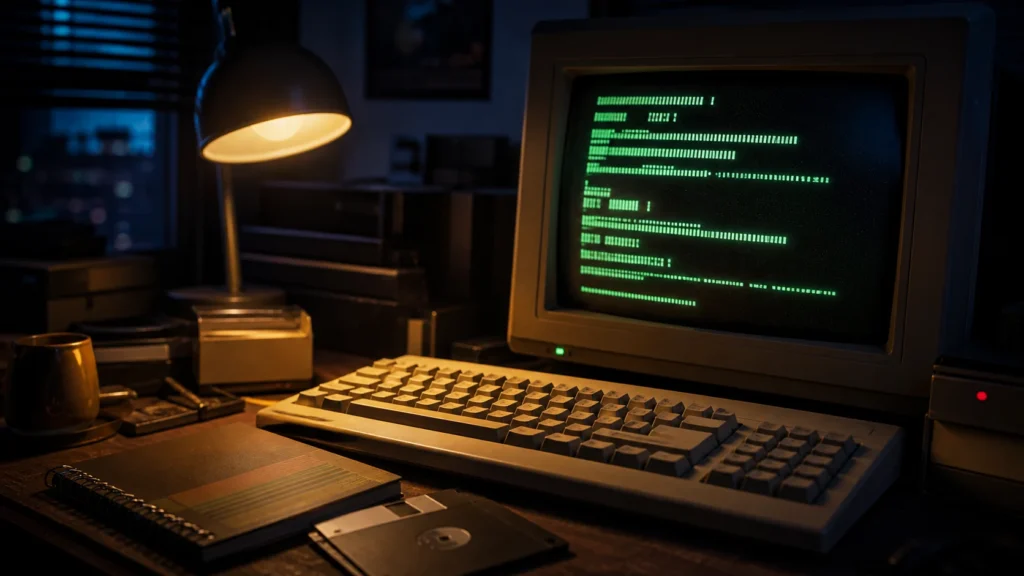
This is one reason batch files felt more intimate than many later automation tools. They had very little visual distance from the person using them. A notebook beside the keyboard, a few remembered commands, one saved file, one reboot, and suddenly the computer acts differently. The loop between intention and effect was short enough to feel magical.
The culture around batch files mattered as much as the files themselves
Technically, batch files were modest. Culturally, they were huge.
They belonged to a specific PC atmosphere:
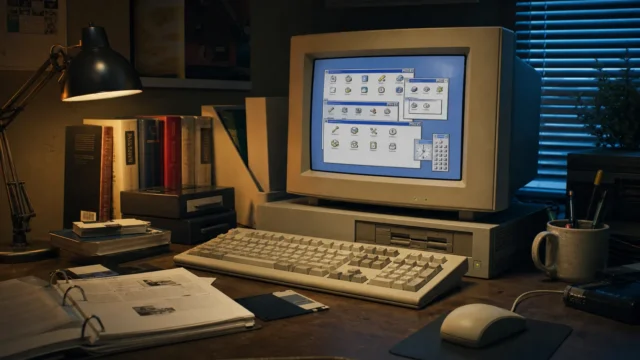
- the glow of a CRT in a dark room;
- copied commands written on paper;
- startup files that felt sacred;
- little fixes passed from friend to friend;
- game-specific launch tricks;
- handwritten reminders about memory, sound, or directories;
- the idea that competence meant not only using software, but making the PC obey more elegantly.
That atmosphere is hard to separate from the files themselves.
It is the same reason the turbo button became culturally larger than its technical implementation. The object and the feeling reinforced each other. A batch file was not just a script. It was evidence that the computer had an inside and that you could reach it.
That sense of inside-ness matters enormously in the history of personal computing. It created generations of users who felt that the machine could be reasoned with, altered, and nudged into different behaviors by people who were willing to type carefully enough.
They also taught a gentle lie that turned out to be useful
The gentle lie was this: if you could write or edit a batch file, you were already doing something close to programming.
Strictly speaking, that was only partly true.
But emotionally, it was a very useful lie.
It lowered the threshold of technical confidence. It taught users that text instructions could have structure, flow, and consequence. It normalized the idea that behavior could be stored in a file and changed by editing lines. It made small logic feel approachable. It made computers feel less like appliances and more like systems.
That matters even if the scripts themselves were simple.
Many people who would never have called themselves programmers still learned from batch files that the machine was scriptable, that startup could be shaped, that repetitive work could be collapsed, and that command sequences could be packaged into reusable behavior. That is a meaningful kind of literacy even when it begins in crude or improvised form.
So yes, batch files made people feel like hackers.
And in the best sense, that feeling was educational.
Why the memory lasts
Batch files survive in memory because they occupied a beautiful middle ground.
They were more powerful than ordinary clicking.
They were simpler than “real” programming.
They were accessible enough to try.
They were mysterious enough to brag about.
That combination is rare.
The modern equivalent of that feeling is harder to find because contemporary systems tend to separate convenience users from system-level behavior more aggressively. DOS did the opposite. It put just enough of the machine’s interior on the table that an ordinary person could touch it and feel changed by the experience.
The result was a whole culture of tiny secret powers.
Some lived in AUTOEXEC.BAT.
Some lived in game launchers.
Some lived in little utility menus.
Some lived in files passed around between friends and never fully understood.
But they all carried the same emotional message:
the computer was not only something you used.
it was something you could instruct.
That broader period is easier to understand alongside Why Total Commander Still Has a Cult Following Among Techies, which captures another part of the same transition in personal computing.
That willingness to learn through configuration survived into the adventurous desktop Linux years of the 2000s, when partitions, drivers, and terminal commands again made routine computer use feel earned.
Conclusion
MS-DOS batch files made everyone feel like a hacker because they turned ordinary text into visible control. A .BAT file was simple on paper, but in practice it let users automate launches, shape startup, package little procedures, and touch the machine in a way that felt personal and slightly forbidden. AUTOEXEC.BAT made that feeling even stronger by placing the script at the edge of boot itself, where the computer seemed to reveal how it became ready for the world.
That is why the memory lasts.
Not because batch files were the most sophisticated scripting environment ever created, but because they gave so many ordinary users their first believable taste of procedural power. A few commands, a saved file, a restart, and the machine behaved differently.
For one era of home computing, that was more than enough to feel like magic.
FAQ
What is an MS-DOS batch file?
A batch file is a plain text file, usually with a .BAT extension, containing commands that the DOS command interpreter executes in sequence.
Why was AUTOEXEC.BAT so important?
Because DOS looked for it during startup after loading COMMAND.COM, so it became the place where users could shape environment settings and boot-time behavior in a very visible way.
Did batch files require real programming knowledge?
Not necessarily. Many useful batch files were simple command sequences with a few control-flow commands. That simplicity is part of why they felt so empowering.
Why did batch files feel like hacking?
Because they gave ordinary users direct, text-driven control over startup, software launches, and machine behavior at a time when even small control over the system still felt secret and powerful.
Were batch files only for advanced users?
No. That is one of the reasons they became culturally memorable. They were accessible enough for non-experts to use, copy, modify, and feel transformed by.